February 3, 2026
January 27, 2026 - February 2, 2026
Beta indicates recent changes that may evolve based on usage and feedback.
What's Changed
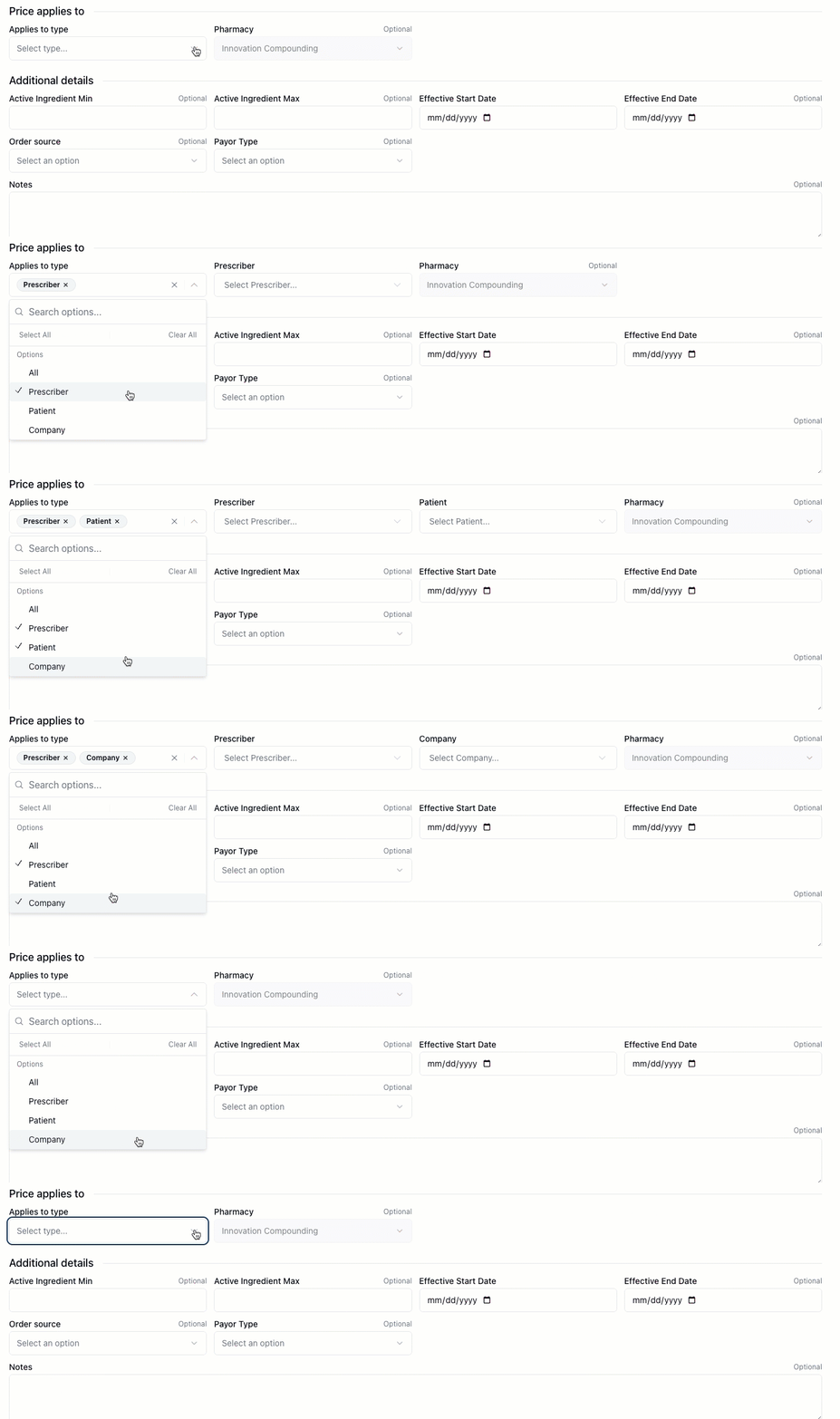
Apply pricing rules to multiple types at once
Save time when setting up pricing. Pricing rules can now apply to multiple types in a single rule, so you don't have to create separate rules for each one.
Reorder formula ingredients with drag-and-drop
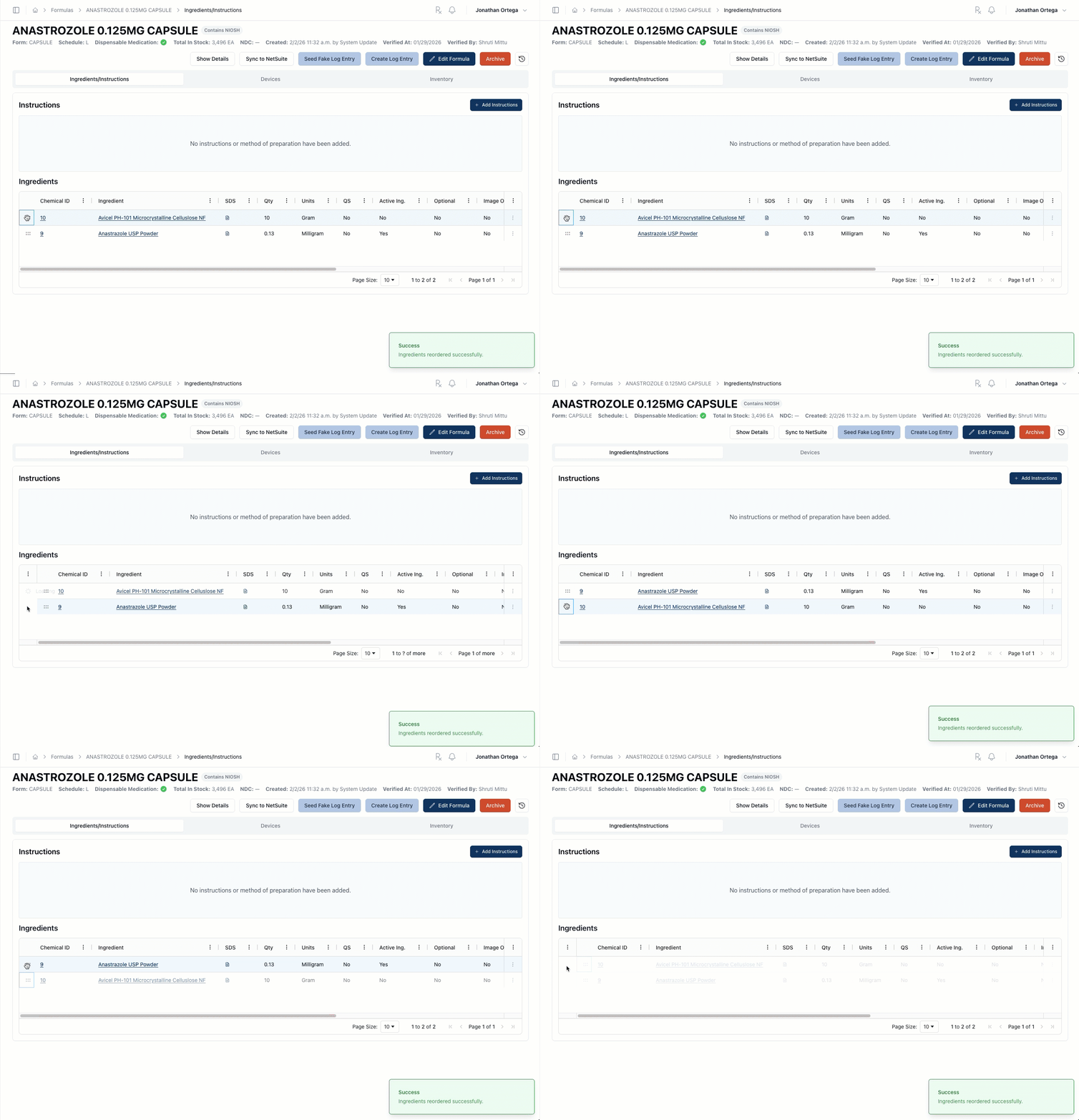
Control how your formulas display. Ingredients and devices on a formula can now be reordered by dragging them into the position you want.
Only verified medications appear when prescribing
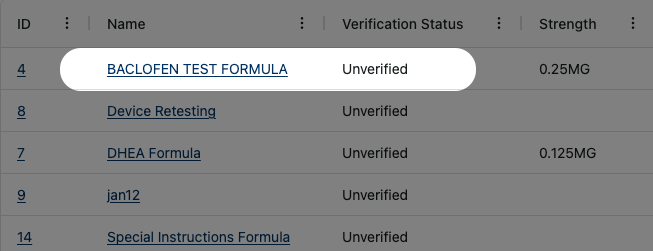
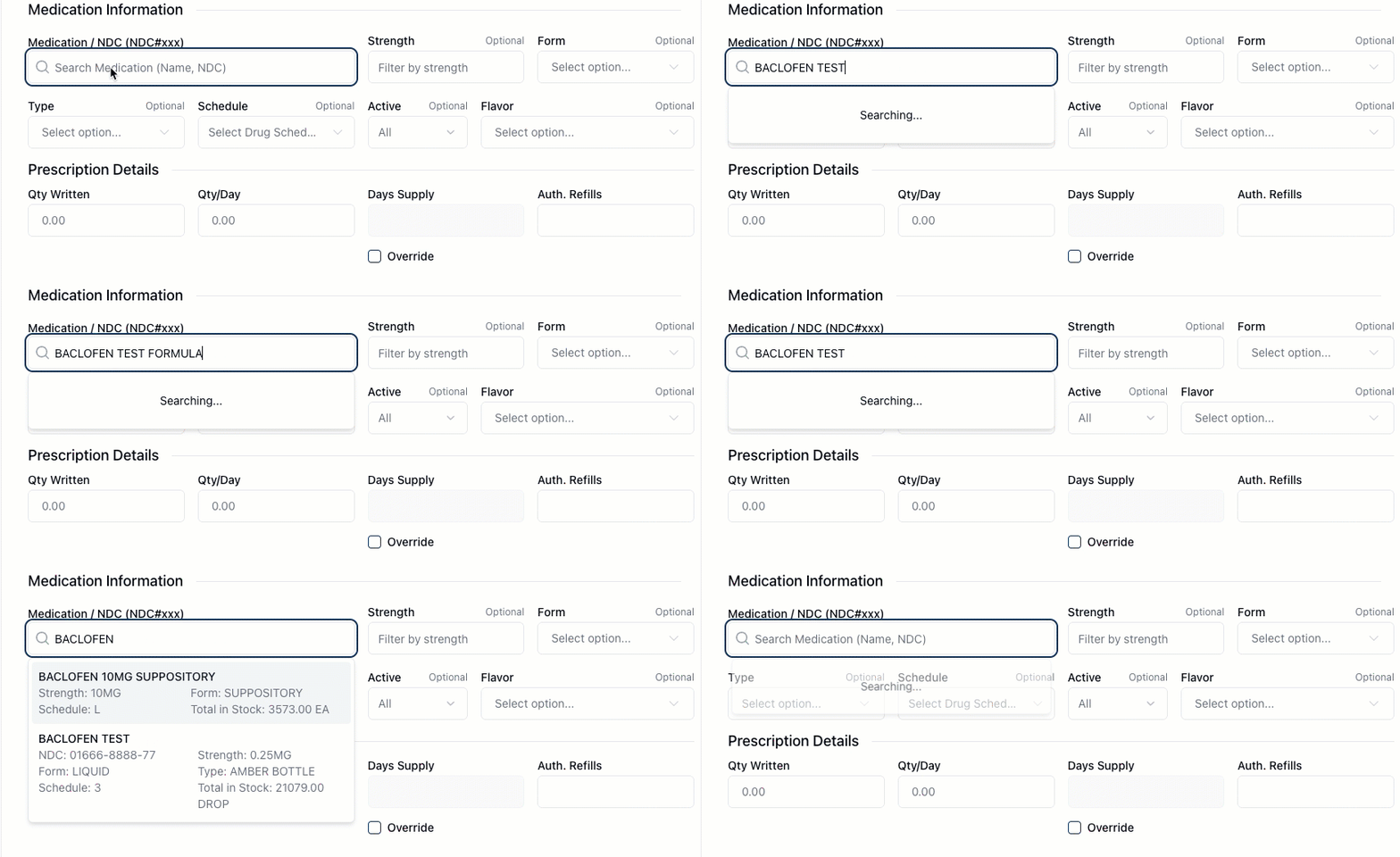
Prevent unverified formulas from being selected. When creating a prescription, only pharmacist-verified medications now appear in search results.
New Features
Dispensing
Prescription Verification (Beta)
Prescriptions with a future effective date now display a warning badge during PV1 and PV2 verification, helping pharmacists catch date issues before completing the order.
Orders & Permissions (Beta)
Only authorized users can now cancel orders, and the Cancel button only appears when you have permission to use it.
Pricing Rules
Pricing rules can now apply to multiple types at once, so you don't have to create separate rules for each one.
Compounding
Formulas
You can now reorder formula ingredients and devices using drag-and-drop, giving you control over how they display.
You can now create a chemical directly from the Create Formula page.
Improvements
Dispensing
Prescription Editing
Editing a prescription no longer requires a pharmacist override when the order is still in the Incoming Orders queue, in PV1, or has been rejected. Overrides are now only required after an order has progressed past PV1.
Search & Filtering (Beta)
Search fields throughout the app now default to showing only active records, reducing clutter from deactivated items. Search results also refresh automatically when you return to the app after switching tabs.
Prescription Rejections
The "Assigned To" field is now optional when rejecting a prescription during PV1, providing more flexibility in the rejection workflow.
Prescribers (Beta)
"Deactivate" and "Reactivate" have been renamed to "Archive" and "Restore" for prescribers, avoiding confusion with other uses of "Active" in the compounding space.
Order Locking & Collaboration (Beta)
Administrators and pharmacists can now take over locked orders when needed. You'll see a clear indicator when an order is locked by someone else, and admins can override existing locks.
Linked Orders (Beta)
When linking new orders, already-linked orders no longer appear in search results, preventing accidental duplicates.
Payments
Payment method details now appear correctly, whether or not a signature was captured.
Orders & Filtering
Date filters for "created from" and "created to" now return more accurate order search results.
Order Shipping
You can now update an order's shipping address after payment has been taken.
Prescribers
The prescriber company page is now simpler, with form sections hidden until you need them, giving you a cleaner interface.
Email Notifications (Beta)
"Ready for payment" emails are no longer sent unnecessarily, reducing duplicate notifications.
Compounding
Validation & Messaging (Beta)
Error messages for missing verification documents are now clearer and more specific, including when a Certificate of Analysis is required.
General
Navigation
The pharmacy selector menu now displays pharmacies in a consistent order, preventing the list from unexpectedly rearranging between visits.
Error Messaging & Usability
Validation and error messages now use clearer product names, making issues easier to understand and fix.
Fixes
Dispensing
Shipping Labels
Shipping labels now create successfully for all shipping services. Previously, some labels would fail with a "carrier not found" error depending on how the shipping service was configured.
Prescription Rejections (Beta)
Prescriptions that have been edited after rejection now correctly clear their rejected status and no longer appear as a missing intake requirement.
Override Messages
Pharmacist override dialogs now display messages specific to the action being performed, such as deleting a prescription, editing a formula log, or merging patients. Previously, some overrides showed incorrect or generic messaging.
Patient Records
Email is now a required field when creating or editing a patient. This prevents issues during payment capture where a missing email could block the transaction.
Pickup & Delivery
The Complete Pickup page now shows shipping prices correctly when no shipping is selected, and prescriber names appear reliably.
The "Doctor Name" column in pickup and shipping views has been renamed to "Prescriber Name" for consistency across the app.
The Complete Pickup page now shows actual Fill IDs and formula details instead of placeholder text.
Prescriptions
Only pharmacist-verified medications now appear when creating a prescription, preventing unverified formulas from being selected.
Order Verification
Adjusted the Order Summary layout in the PV2 queue for a better fit.
Discount Search
Fixed discount search filtering to return more accurate results.
Orders & Billing (Beta)
The view-only warning on locked orders now only appears when you're the user who locked the order, reducing unnecessary alerts when viewing orders locked by others.
Fill Information
Fill Information now displays all prescriber and first fill details correctly. Previously, some fields appeared empty even when the data existed in the order.
Company & Billing Addresses
The primary company address now populates correctly during payment, so billing details are accurate on the order.
Compounding
Exports
The fill type column now displays correctly in Fills Export results.
Exporting fill data no longer fails when some values are missing.
Other Changes
Known Issues
Dispensing
Shipping Profile
After saving a shipping profile in the Delivery Information section under the Payment tab, navigating to another tab and returning may cause the shipping profile field to appear empty, even though the value appears to have been saved.
Prescription Document Upload
When adding pages to a prescription in the Rx Information tab, the upload may fail after repeatedly adding and deleting pages. As a workaround, refresh the page before attempting to add another document.
PV2 Verification
When an order has multiple prescriptions and one goes through compounding while another is filled from inventory, verifying the compounded prescription at PV2 may fail with a server error. The fill may incorrectly show as "Compounding Needed" in the PV2 queue.