January 21, 2026
January 13, 2026 - January 20, 2026
Rev Pharma Action Items
Provide a list of use cases for outgoing faxes
Confirm that everything is in place contractually to go live with ShipStation
Confirm that the sandbox environment will continue to be available once we go live
What's changed
More control over invoice pricing visibility
Invoice emails and documents can now be sent with or without pricing details, depending on your needs. When pricing is hidden, the invoice and manifest automatically adjust their layout to remove pricing-related sections and present a cleaner view for pharmacies.
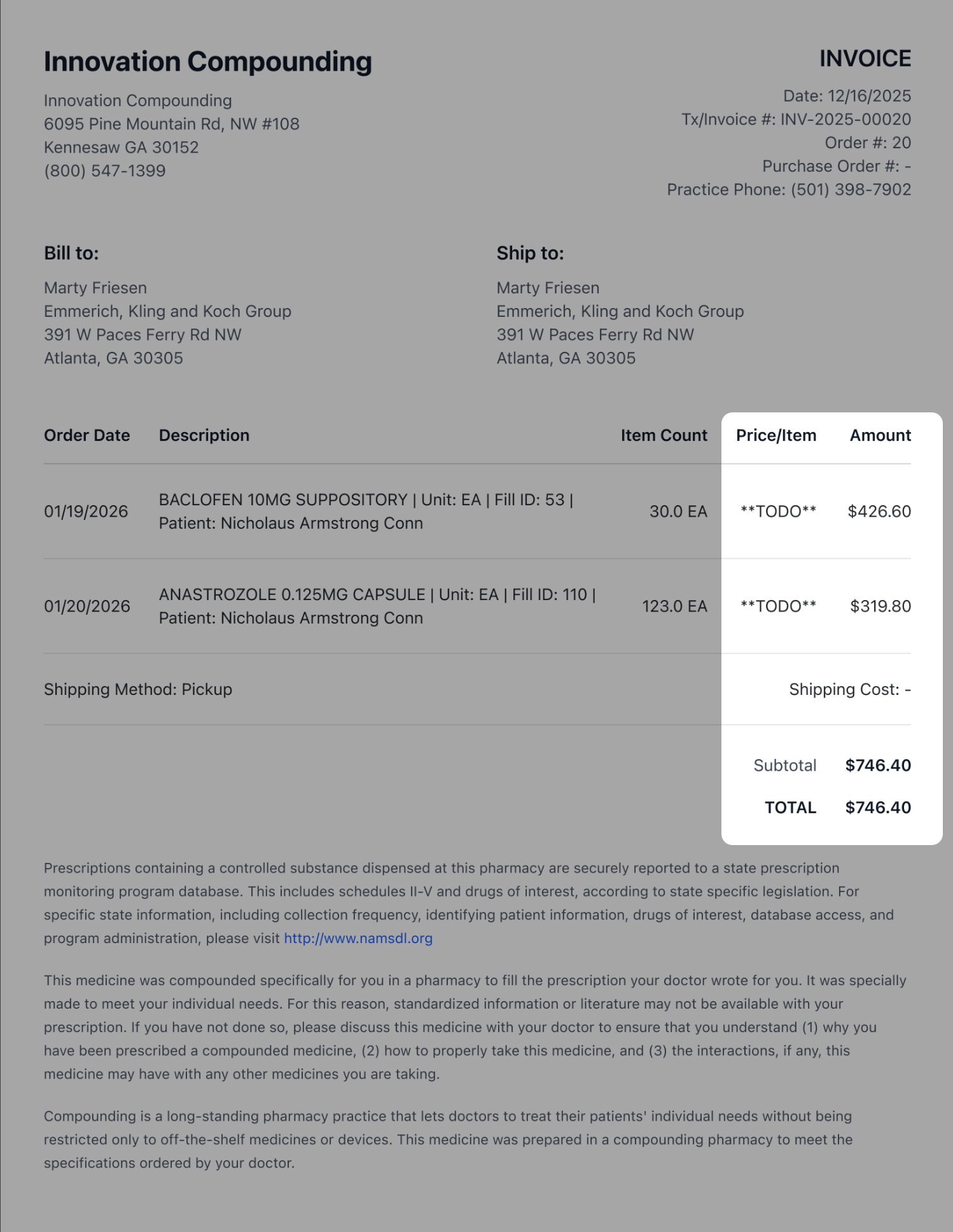 [PRICING DETAILS SHOWN]
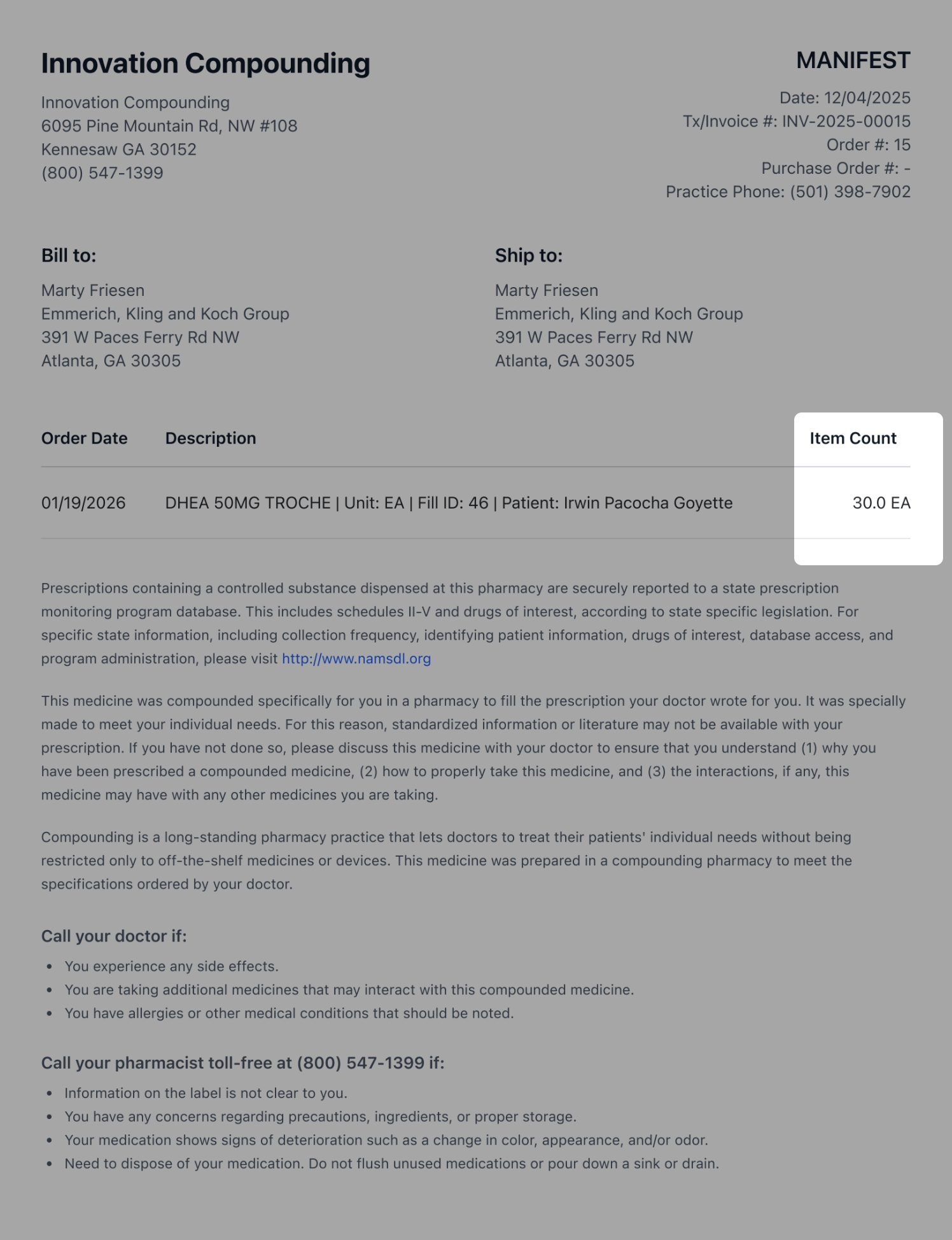 [PRICING DETAILS HIDDEN]
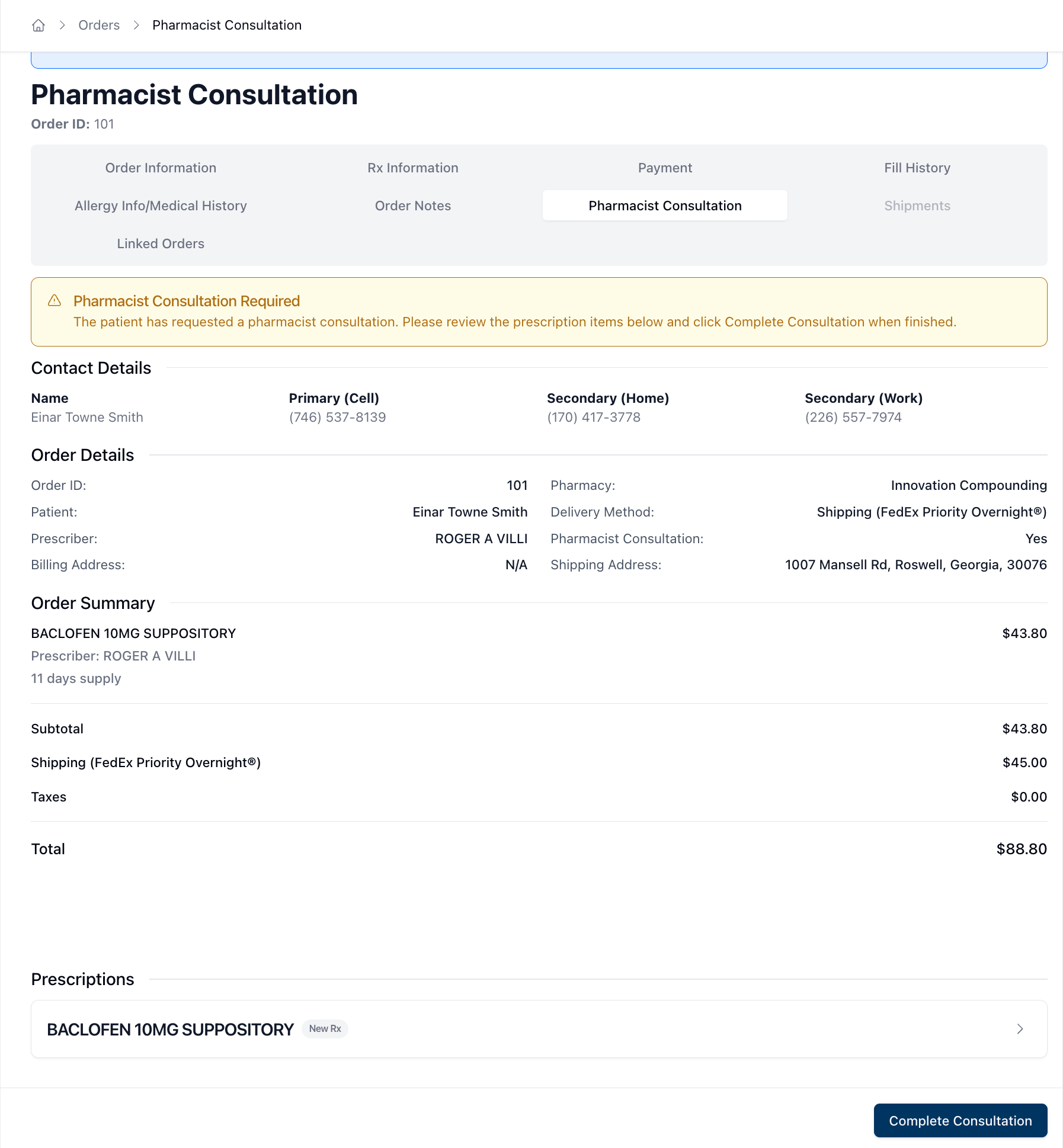
Full order context added to Pharmacist Consultations
Pharmacist Consultations now show full order details directly in the consultation, including patient and prescriber information, prescriptions and OTC items, delivery details, addresses, and a complete cost summary. This makes it easier to review everything you need without leaving the consultation.
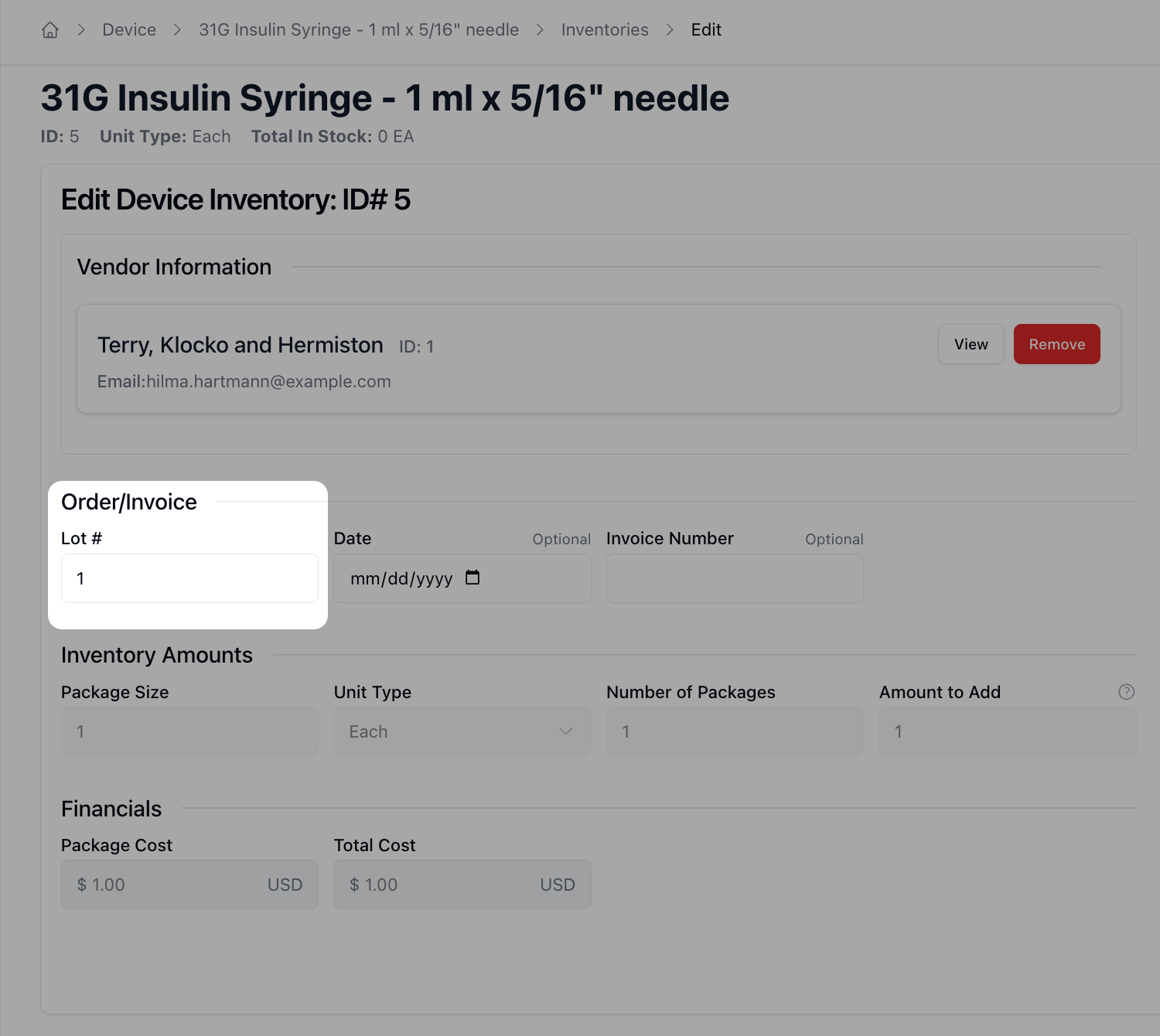
Device Inventory now supports lot numbers
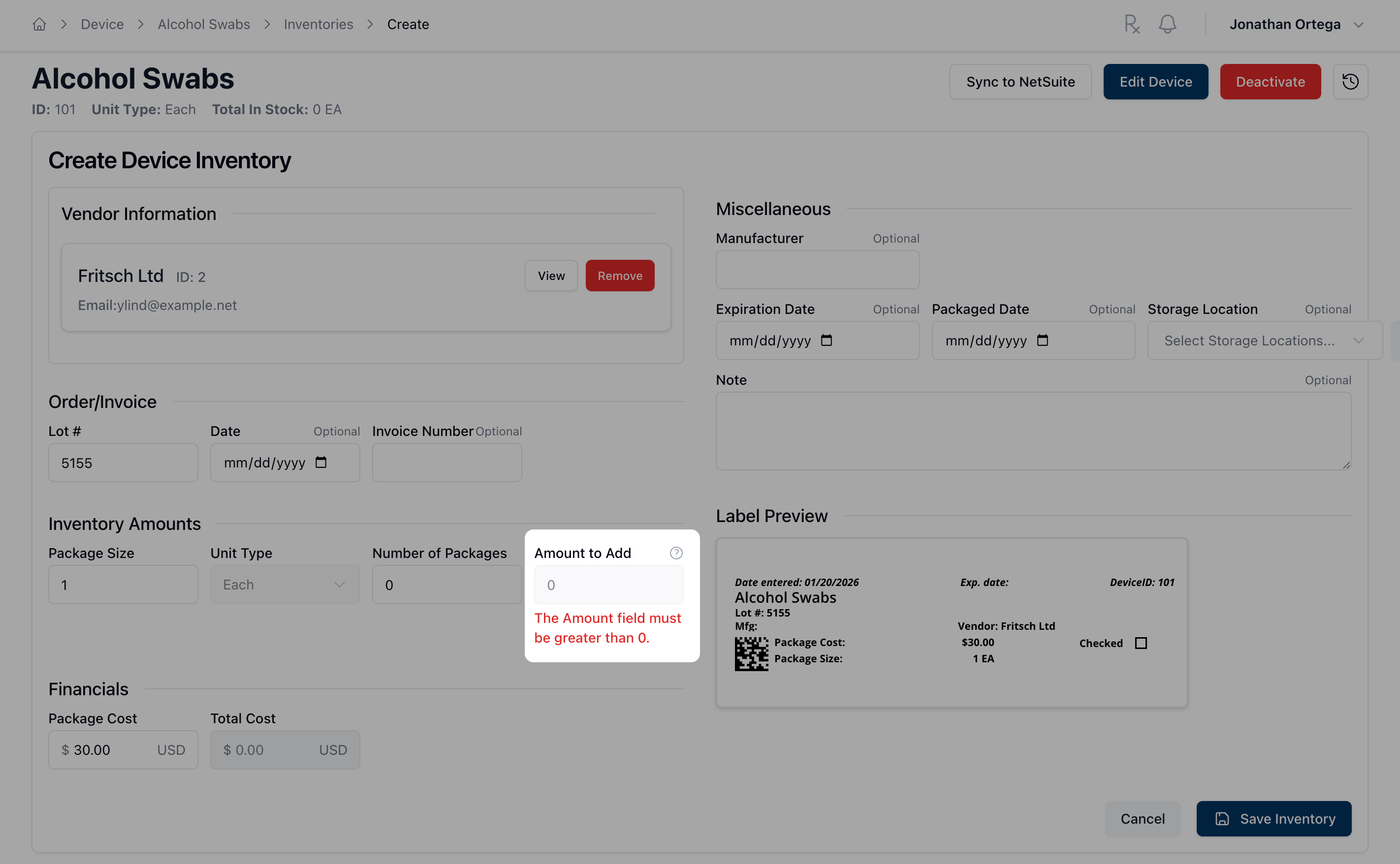
Device inventory records now include lot numbers, making it easier to track devices and maintain accurate inventory for compounding workflows.
Improved inventory safeguards and visibility
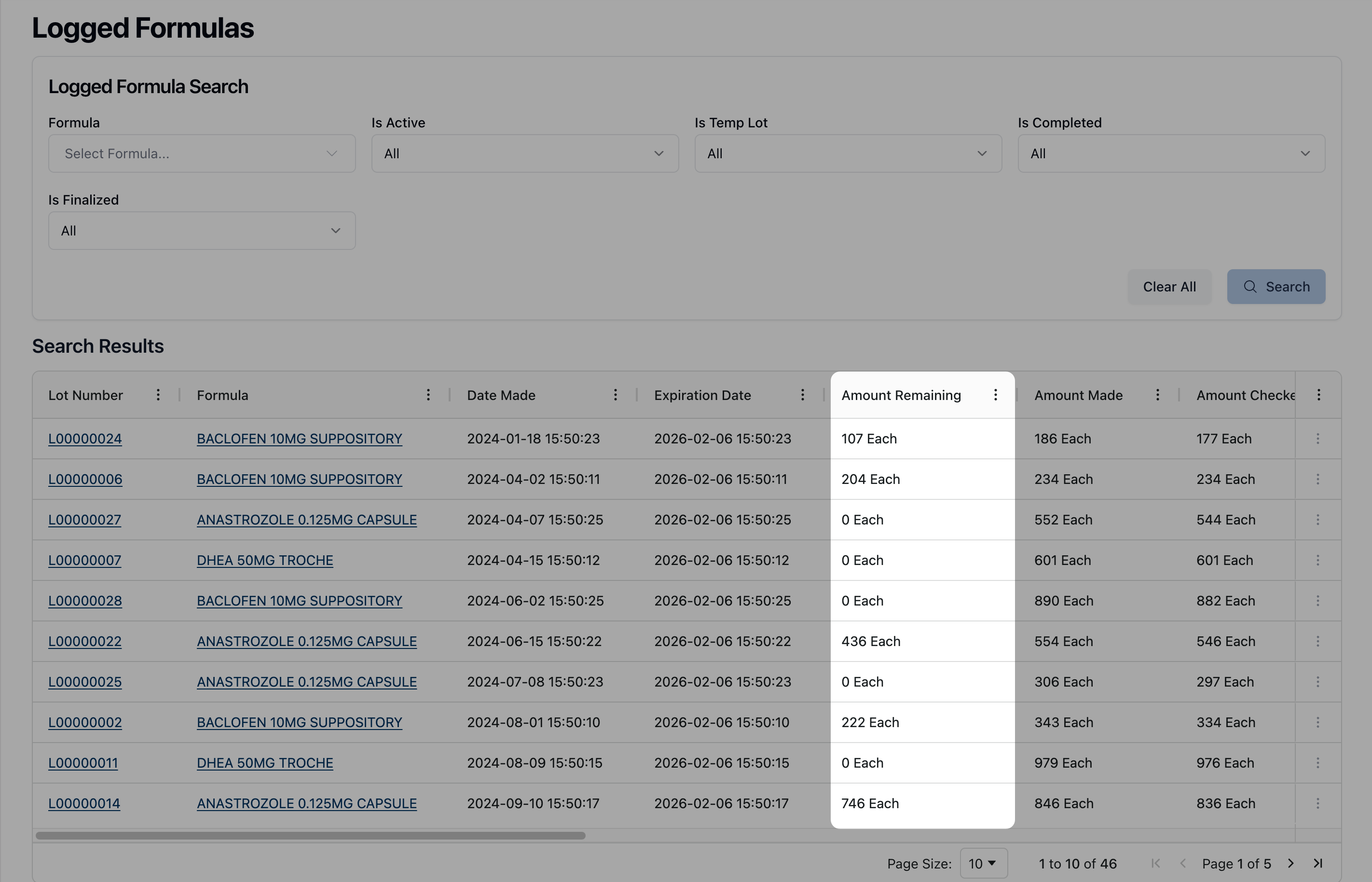
Inventory records can no longer be created with zero quantities, helping prevent invalid or misleading entries. Inventory tables were also reorganized to make remaining quantities and units easier to understand at a glance.
More consistent user profile and password management
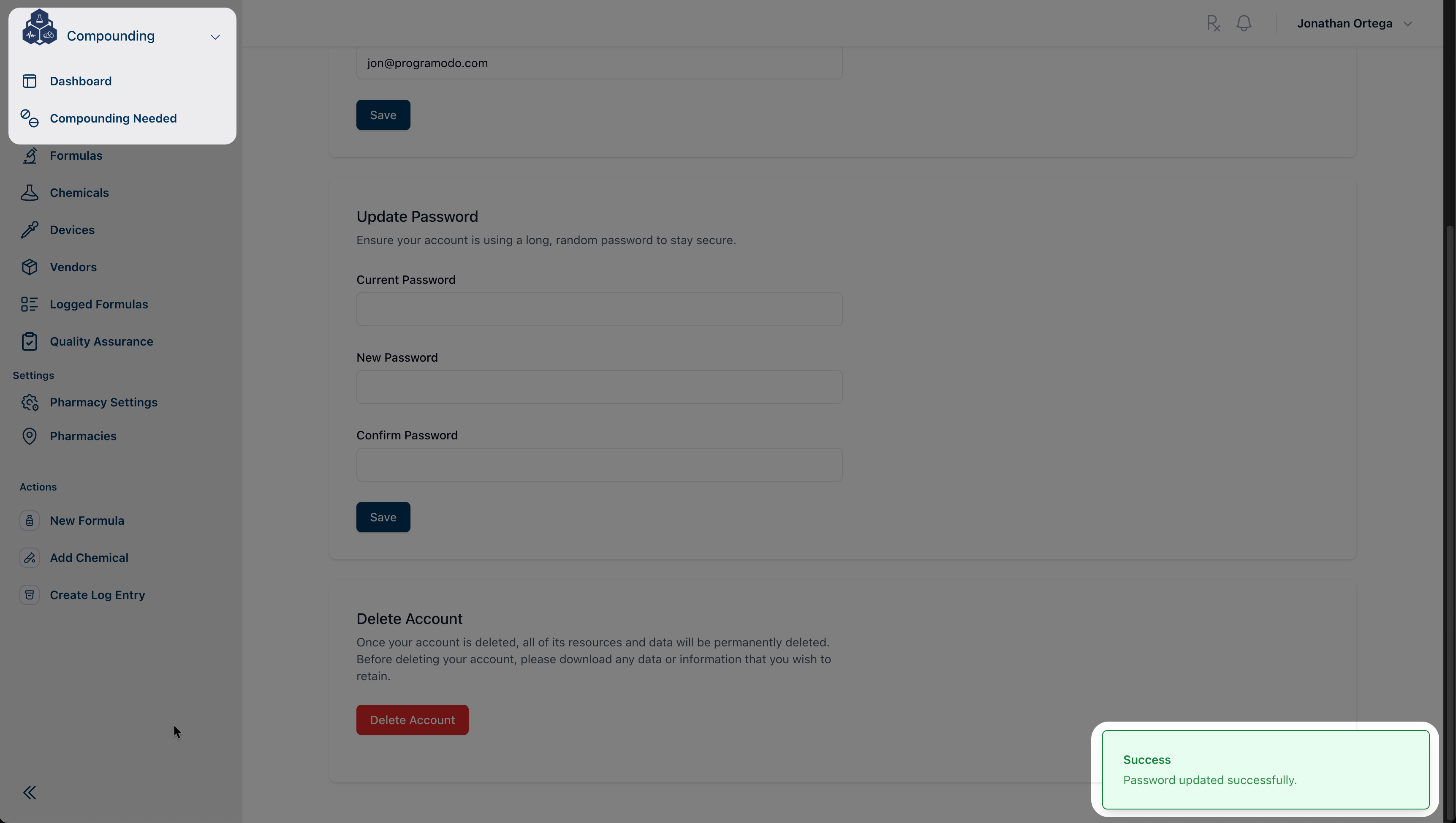
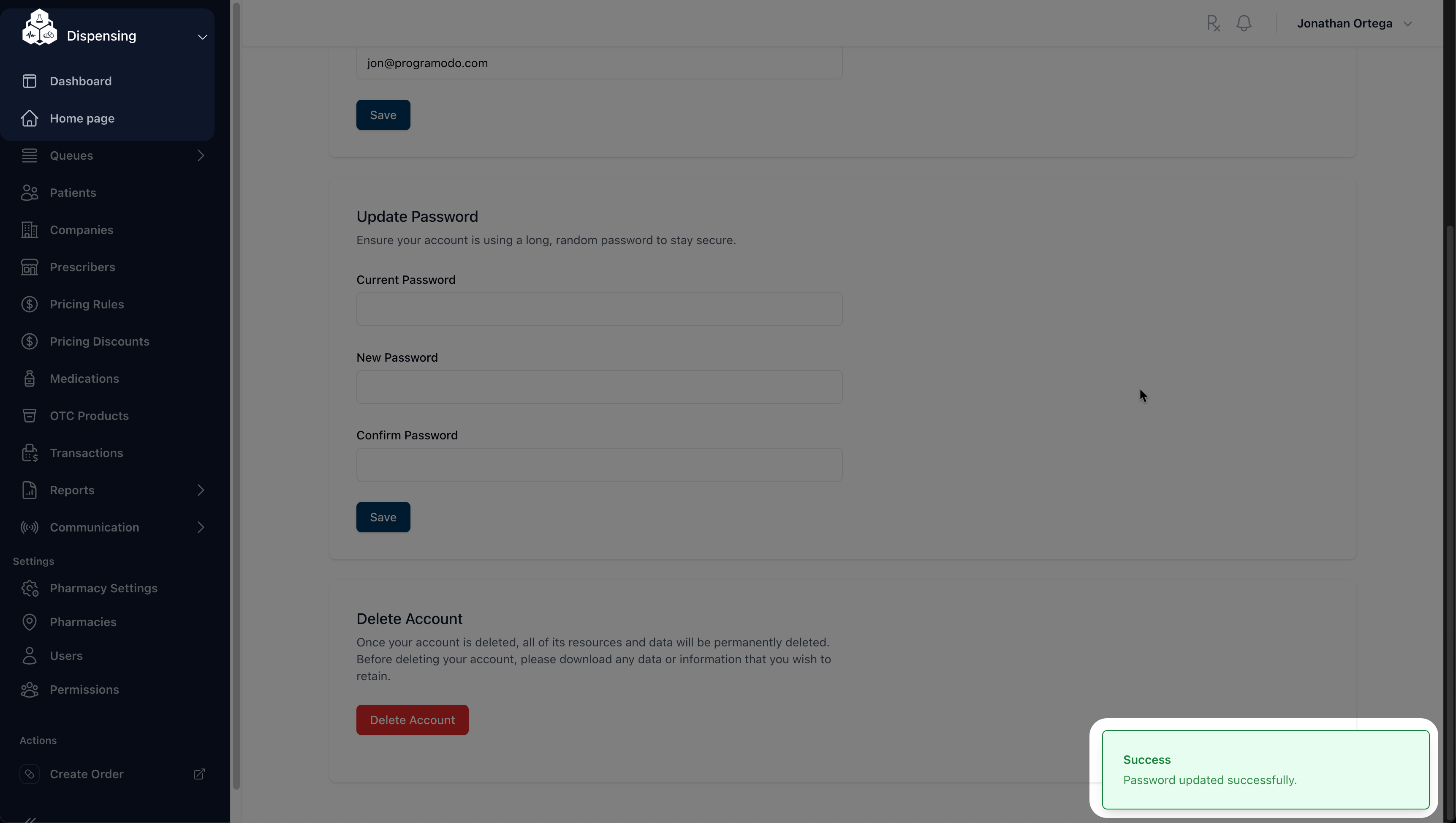
User profile pages now adjust automatically based on whether you are working in Dispensing or Compounding, providing a more consistent experience across modules. Password updates have also been improved, with better verification and clearer error messages, including support for accounts managed through single sign-on.
New Features
Dispensing
Payments & Invoicing
Added a setting to show or hide pricing details on invoice emails and documents. Invoices and manifests automatically adjust their layout accordingly, with a cleaner presentation and updated footer.
Compounding
Device Inventory
Device inventory now supports lot numbers, making it easier to track and search device inventory across the app.
Improvements
Dispensing
Orders
Improved permission handling for linked orders so edit access behaves consistently when navigating between related orders.
Pharmacist Consultations
Expanded Pharmacist Consultations to include a comprehensive order summary directly within the consultation view, including patient, prescriber, delivery, item, address, and cost details.
Prescribers
Improved clarity when adding state licenses to prescribers by refining validation messaging and form behavior, making required inputs and backend validation feedback easier to understand.
Introduced support for physician overrides during prescriber merges, including clearer confirmation dialogs, improved permission checks, and a more explicit merge flow.
Orders & Billing
Improved order status tracking so status changes display more consistently across the app.
Improved order status updates to reduce unnecessary page reloads and make status changes feel more responsive.
Prescription Fills
Improved handling for prescriptions with multiple fills so edit actions reflect the correct state when only one fill is rejected.
Intake & Validation
Improved intake validation by requiring Prescriber NPI where applicable.
Medications & Formulas
Enhanced the display of “drug of interest” indicators across formula and dispensable medication views, with clearer visual representation, safer data mapping, and improved layout responsiveness.
Improved prescription item displays by refining tooltips, problem counts, and fill detail visibility in view and edit modes.
Compounding
Chemicals & Form Management
Simplified chemical management by removing unnecessary status states, reducing confusion and making chemical forms easier to manage.
Simplified the chemical identifier workflow by removing unnecessary action buttons, improving form clarity, and improving identifier visibility and primary field handling.
Pharmacy Management
Improved consistency of the Edit Pharmacy interface across Dispensing and Compounding by aligning form components, validation behavior, and address handling.
Activity Logs
Expanded activity logging to include Formula Lots and their related child records, providing more complete visibility into related changes and improving log exploration.
Inventory & Data Integrity
Prevented chemical and device inventory records from being created with zero quantities, reducing invalid or misleading inventory entries.
Improved inventory visibility by adding and reordering an In Stock column with clearer quantity and unit information.
Refined inventory adjustment permissions and layouts for logged formulas to better align access rules and improve usability.
Access & Permissions
Strengthened permission enforcement across navigation, dashboards, and views to ensure users only see and access authorized sections.
General
Authentication & Security
Improved profile password management by adding support for WorkOS-enabled accounts. Users can now securely change their passwords with proper current-password verification, clearer error handling, and a refined password change form that improves reliability and usability.
User Profiles
Redesigned the user profile management experience to be module-aware. Profile editing, routing, and layouts now adapt based on whether the user is in Dispensing or Compounding, with clearer structure, module-specific routes, and removal of legacy profile pages.
Imports & Validation
Improved SIG code import reliability by validating required columns before processing.
Medications & Formulas
Enhanced formula and medication views to display drugs of interest with clearer visuals and richer supporting data.
Navigation
Improved dashboard navigation reliability, reducing edge cases when moving between sections of the app.
Fixes
Dispensing
Pharmacy Selection
Resolved issues in the Pharmacy Selection dialog to make pharmacy selection more reliable and consistent.
Medication Validation
Improved validation messaging when duplicate medications are added to a prescription, making the error clearer and easier to understand.
Payments
Improved payment error messaging during checkout, making invalid card issues clearer and easier to resolve.
Medications & Fill Displays
Resolved an issue where fill types in the PV1 search results could display inconsistently, ensuring values are shown reliably even when data is incomplete.
Resolved an issue where medication listings under Dispensing would load a blank page when selected.
Payments & Notifications
Prevented duplicate “ready for payment” emails by only sending notifications when an order’s status actually changes.
Address Validation
Ensured address updates persist correctly after validation failures by allowing confirmed unverified addresses to submit successfully.
Compounding
Prescriptions & Medication Data
Prevented server errors when creating prescriptions by enforcing a maximum quantity-per-day limit.
Restored visibility of Days to Expire information in PV1 and PV2 medication screens when the value is set on formulas.
General
Order & Prescription Display
Fixed an issue where prescription quantities with a value of zero could appear blank instead of displaying 0.
Other Changes
General
Permissions & Access Control
Added a new Pharmacist Consultation permission and updated permission checks across the app to enforce access consistently.
Validation & Messaging
Improved validation error messages to be more consistent and easier to read across the app.
Patient Management
Simplified patient merge behavior by removing unnecessary pharmacy record transfers, resulting in a clearer and more predictable experience.