October 20th to 26th, 2025
What's changed
Week of October 20th to 26th, 2025
New features
General
Incorporated dynamic tooltips via Statamic, which allows for integration with existing documentation for the app.
Added user abbreviations via a text-input field. This also includes checks to ensure abbreviations are unique per pharmacy and must be three letters, capitalized.
Dispensing
Added activity logging for Pricing and Discount Rules updates, in addition to improving how pricing rules are created and stored.
Adjusted payment method storage to add support for saving Company payment methods.
Developed a demo PV2 scanning interface, including a scan icon and related dialogues for testing.
Added the ability to export patient data in both the Dispensing Dashboard and Prescriber Portal.
Introduced new permissions for Pricing Rules and Discounts management, including the ability to View, Create, Edit, Deactivate, and Reactivate.
Improvements
General
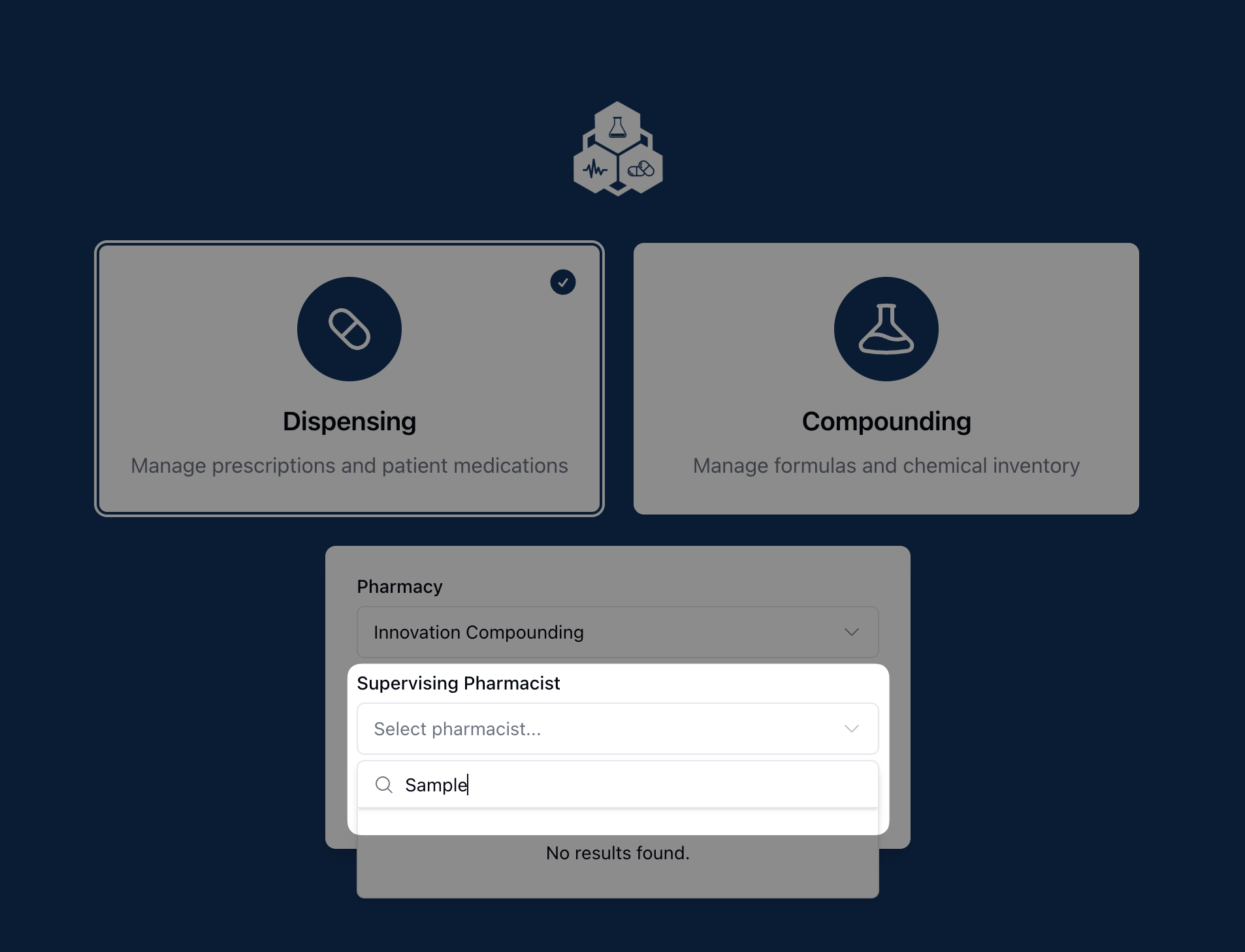
Added a search field when selecting a supervising pharmacist to facilitate the selection process. Also, added a check so that all actions are disabled if no pharmacy is selected on the login landing page.
Incorporated a check to ensure a printer is selected before running the print script.
Modified how prescription quantity is displayed to improve consistency in unit types/quantities for dispensable medication.
Adjusted the prescription refill page to better track and input the selected Supervising Pharmacist.
Dispensing
Incoming fax numbers are now dynamically connected to a pharmacy, or display an error message if no pharmacy is related to the number.
Improved order handling via fax, including the ability to generate multiple orders from a single incoming fax.
Adjusted the medication type and duration fields on prescriptions. Medication Type is now set automatically; Length of Supply can now be overridden, allowing for more user control.
Adjusted the mobile layout for the patient payment page to prevent zooming on iOS devices.
Added the ability to sort and filter orders in the Orders overview page.
Introduced categorization for outgoing SMS messages, such as Generic and Order Payment Link.
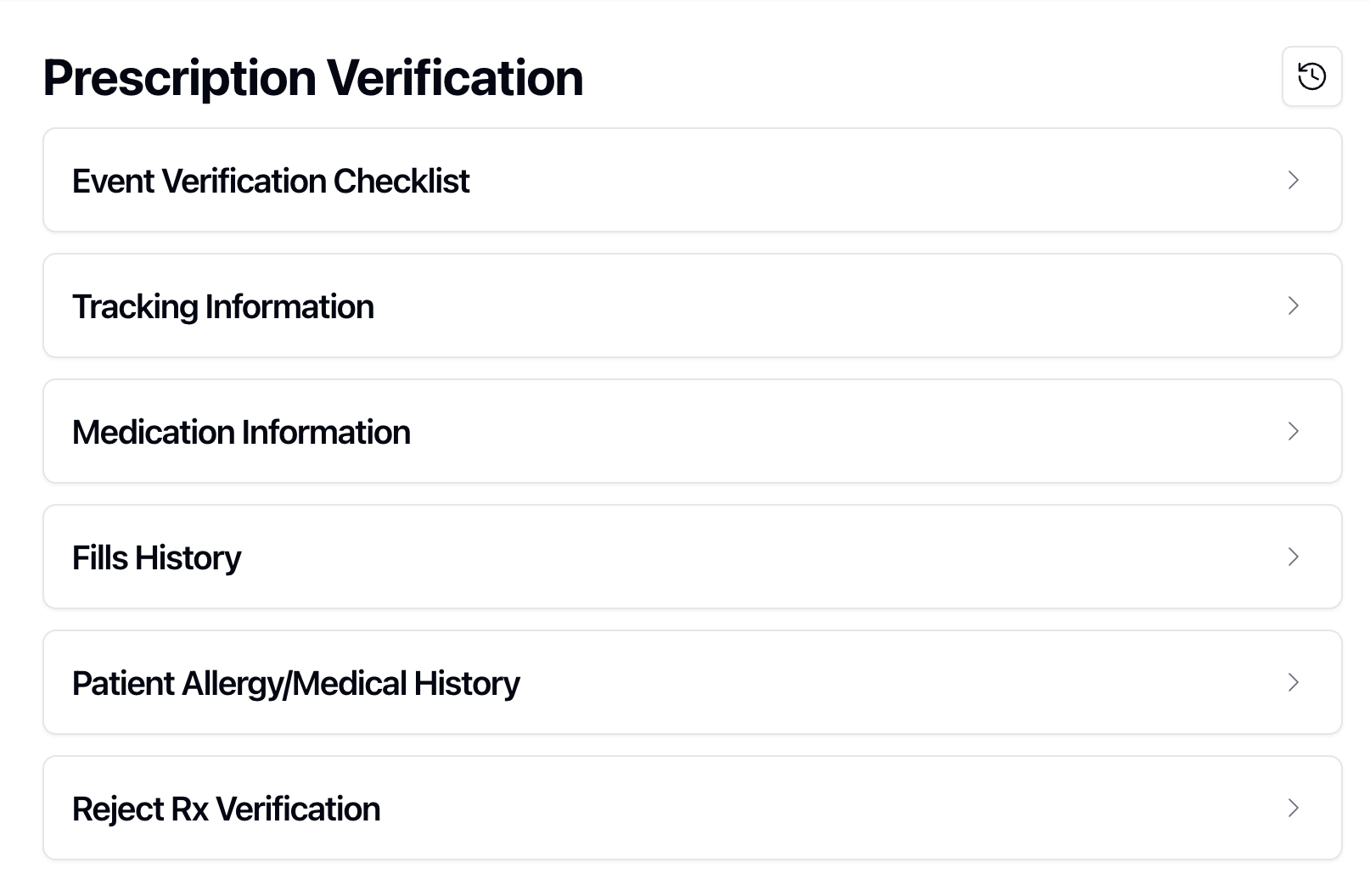
Modified the PV1 Event Verification interface, including moving the checklist to the top of the page and having sections default to closed.
Fixes
General
Updated code related to integrations to improve clarity and readability for future development.
Fixed an issue causing tooltips to display an additional empty element.
Dispensing
Revised generated test data for consistency, so all demo patients are "Human."
Fixed a bug preventing the Medication Name search field from displaying results on the Pricing Rules page.
Revised all Address Type instances for consistency, displaying Billing, Residential, Shipping, Primary Office, and Commercial.
Compounding
Revised Formula Lot calculations to avoid potential errors when dividing by zero.
Fixed an issue preventing the actions menu from displaying on the Compounding Needed page.
Revelation Pharma action items
EPCS General Requirements
Summary: Request for general requirements and/or screenshots of the EPCS Options page in PK / Life File. Note: I believe that Jeanhie and Ben are working on specs for all EPCS-related requirements.Reporting Requirements Follow-Up Discussion
Summary: Now that we’ve done a little recon into AG Grid’s ability to export data, we need a follow-up discussion to nail down specific requirements.PV2 Default Checklist Items
Summary: Similar to PV1, we'd like to generate a default list of items to use for the PV2 checklist development.Role-Based Application Permissions
Summary: Follow-up on the shared user-permissions matrix. Note: Suggested to follow-up in an upcoming requirements call.Integrations Follow-up tasks
Summary: Follow-up on any pending needs for integrations, including the Lumistry API key and contract finalization for ShipStation.Company Settings for Text-to-Pay
Summary: Follow-up on how to handle text-to-pay for companies and typical methods of communication available for these types of purchases, such as company email or fax vs. cell phone.