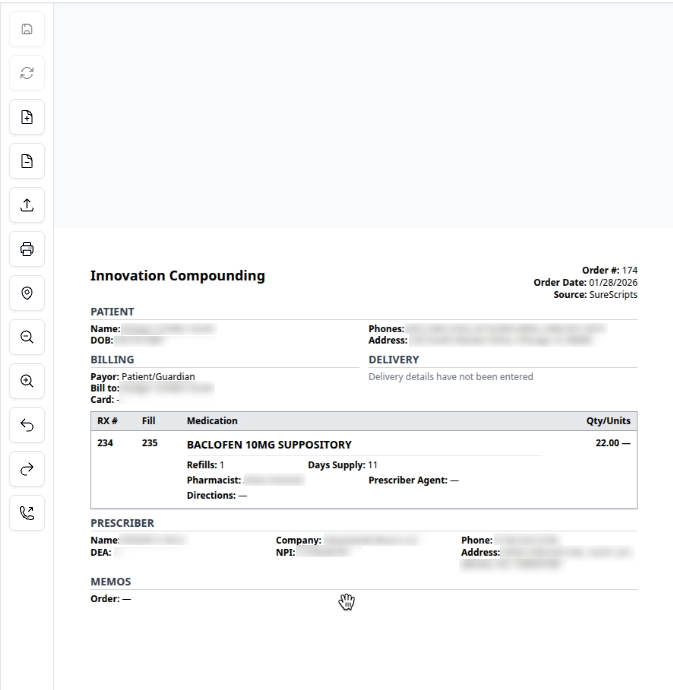
How-to: Uploading a prescription document
how-to
Attach a prescription slip or document to an order using the Prescription Document Viewer in the right sidebar.
Steps
1. Locate the upload area
In the right sidebar, find the Upload Image area.

2. Upload the document
Accepted file types: JPG, JPEG, PNG, WEBP
Either:
Click the upload area and select a file from your computer
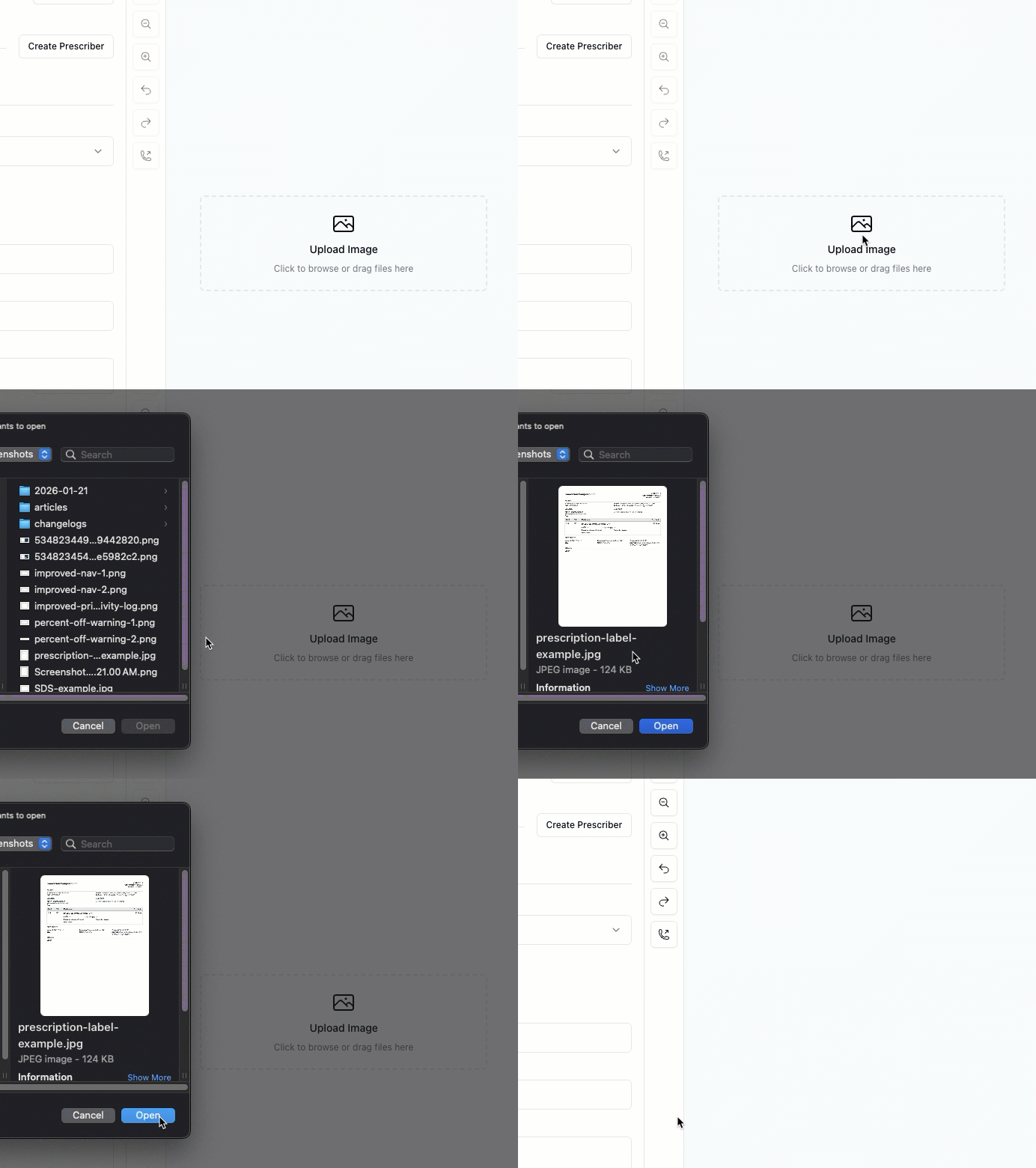 - or -
Drag and drop a file into the upload area

3. Verify the upload
The document appears in the Prescription Document Viewer. You can use the toolbar to zoom, rotate, or review the document.