How-to: Adjusting a chemical inventory record
how-to
A streamlined, step-by-step refresher for adjusting a chemical inventory record.
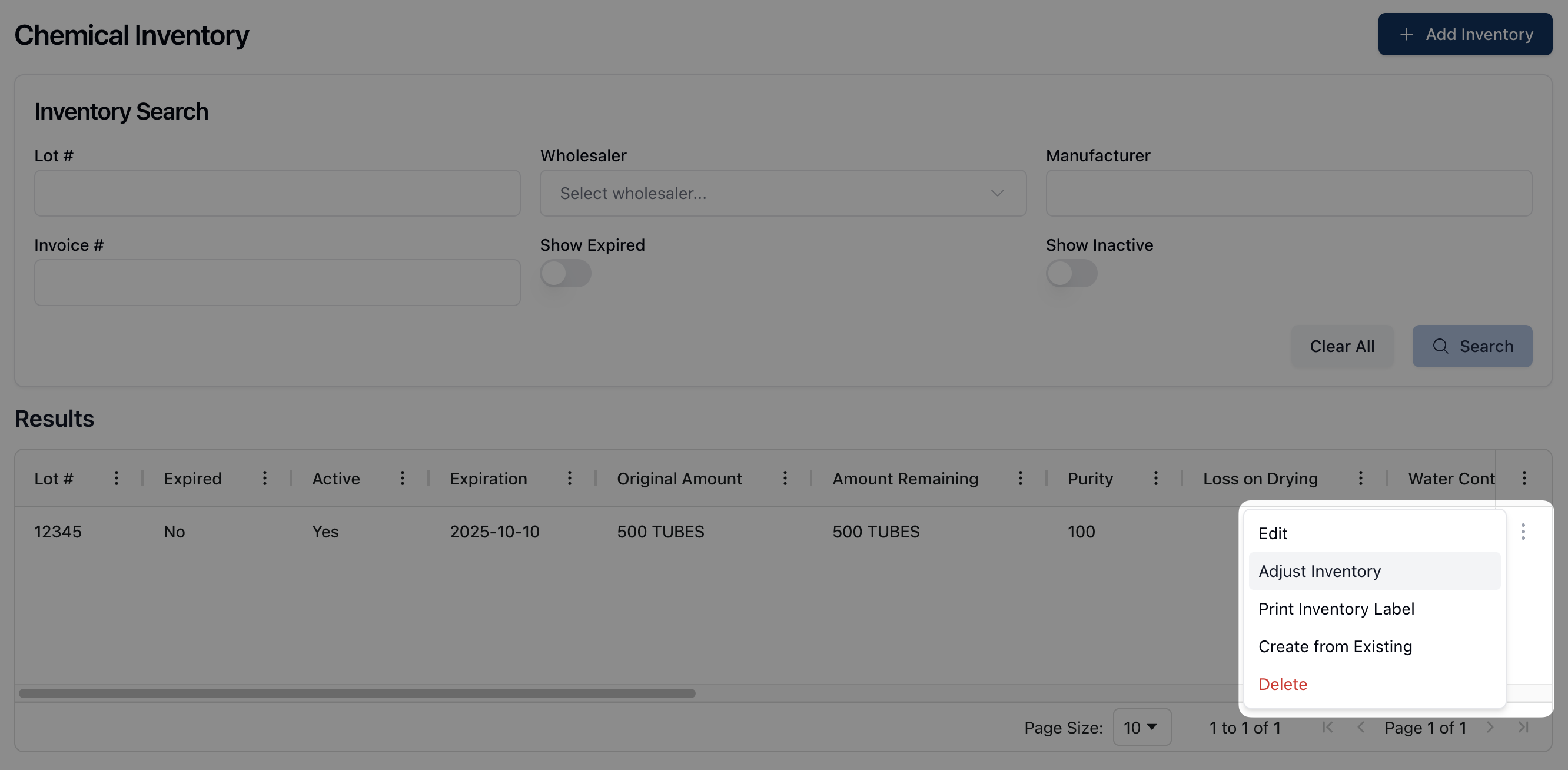
Click the actions menu ( ⠇) next to the relevant chemical inventory record in the Results table and select Adjust Inventory from the dropdown menu that appears.
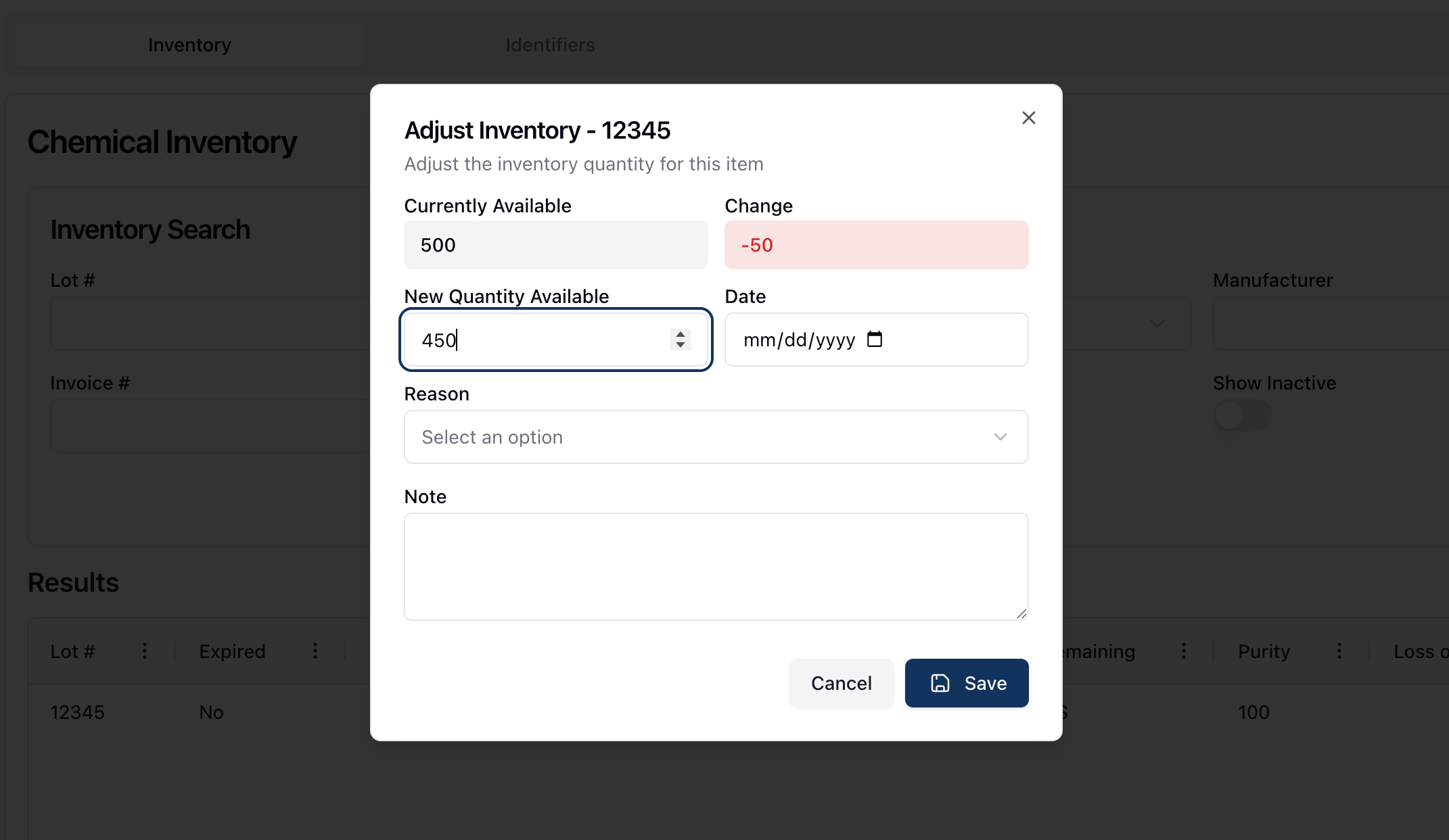
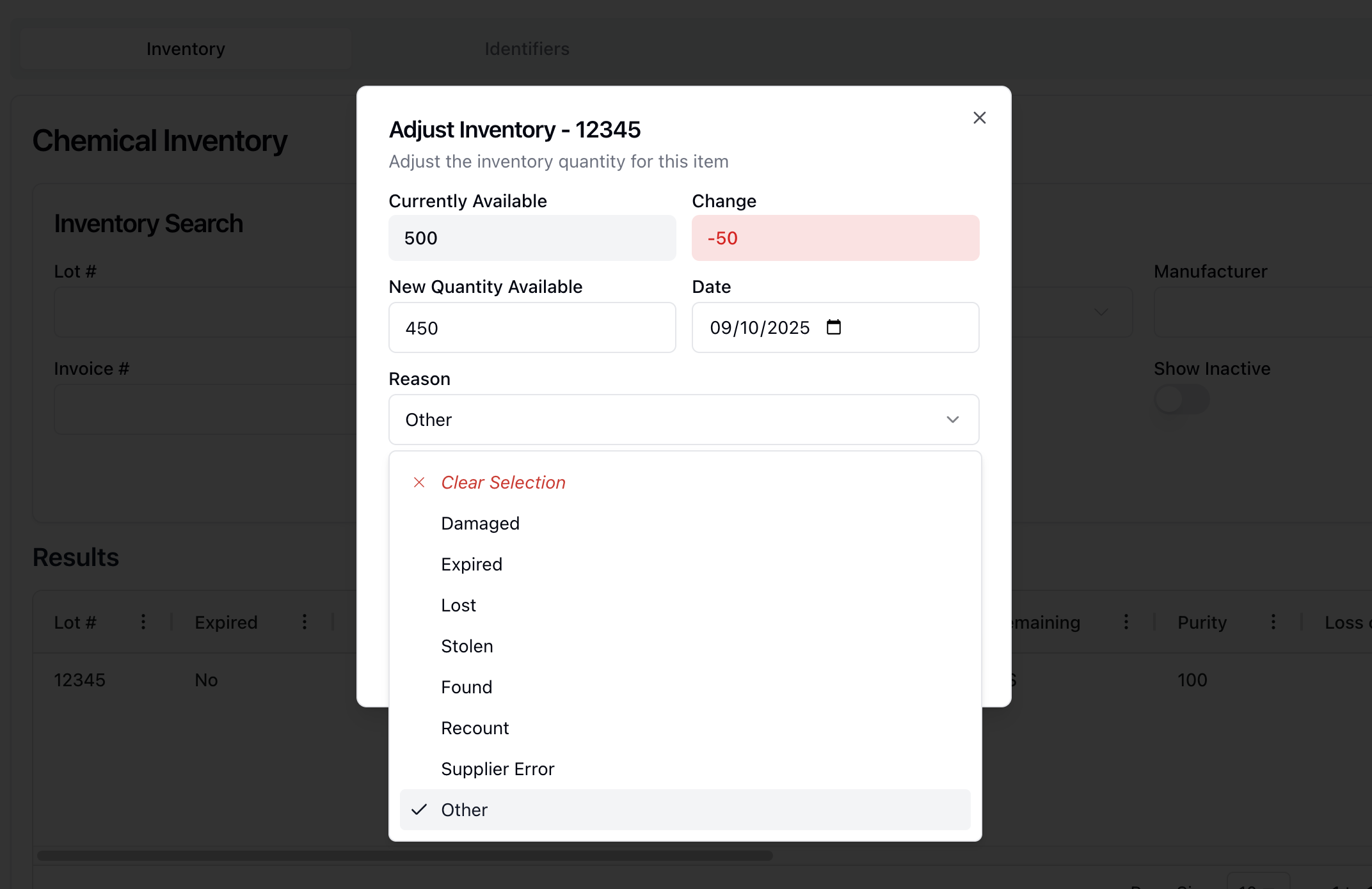
In the Adjust Inventory popup window, enter the updated inventory amount into the New Quantity Available field.
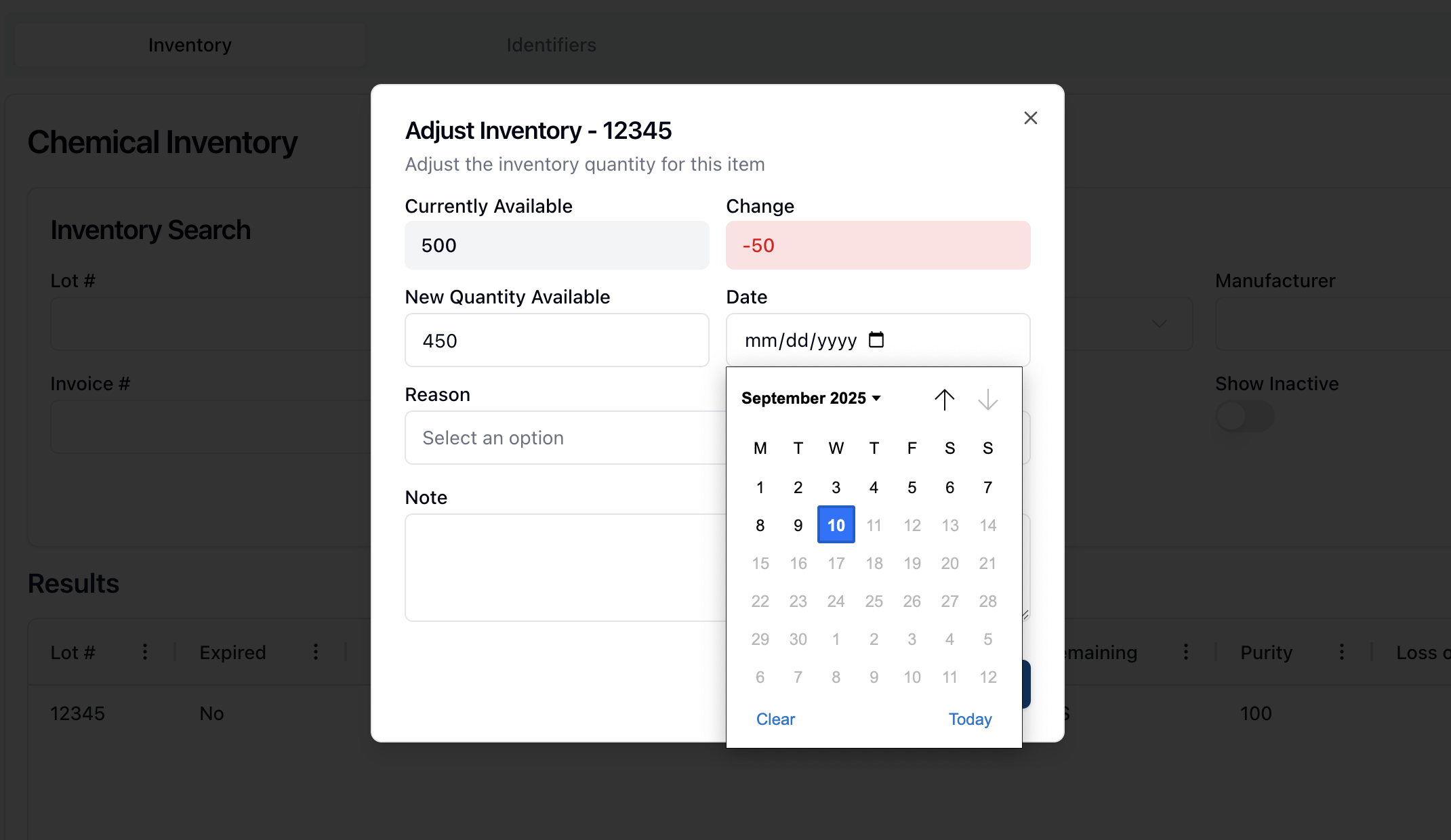
Enter the date the change was made in the Date field, in a MM/DD/YYYY format or using the calendar select tool.
Select a reason for the change by choosing one of the options in the Reason dropdown menu.
If applicable, add any relevant notes to the Note field.
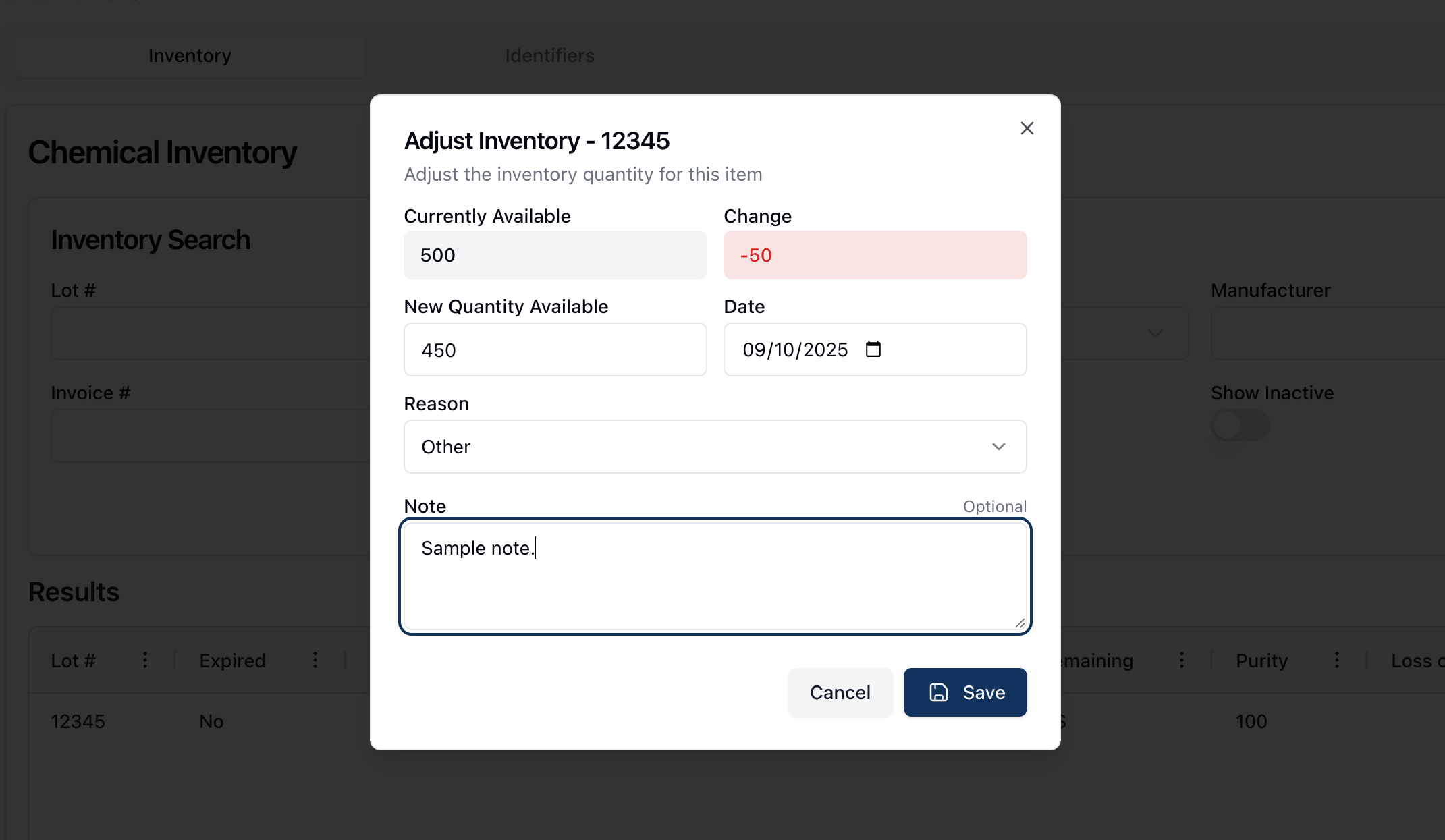
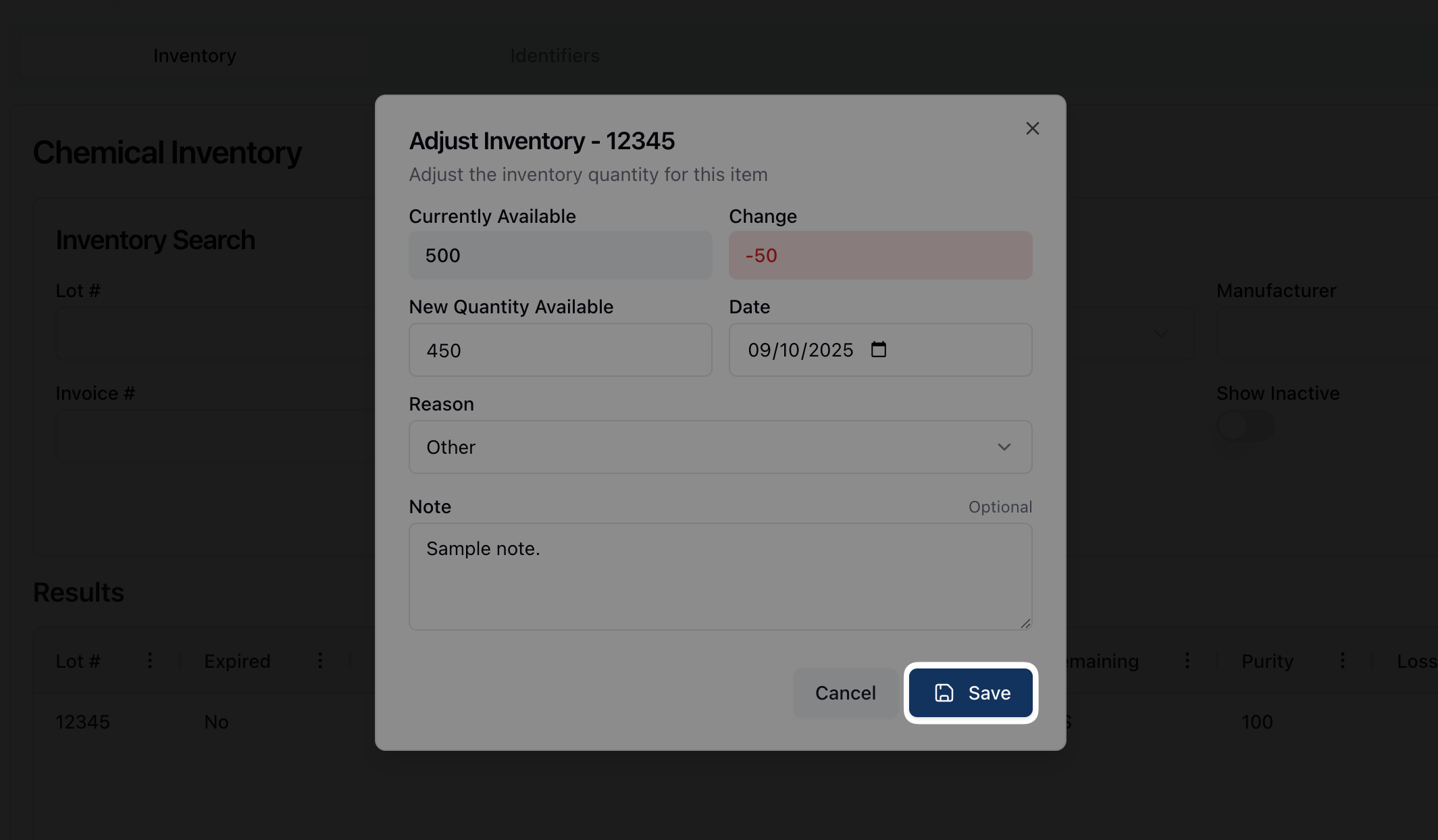
Once all fields are complete, click Save to update the available chemical inventory.