Patient Delivery History
The Delivery History tab provides an overview of all previous orders that have shipped to the patient. This guide provides an overview of the information available.
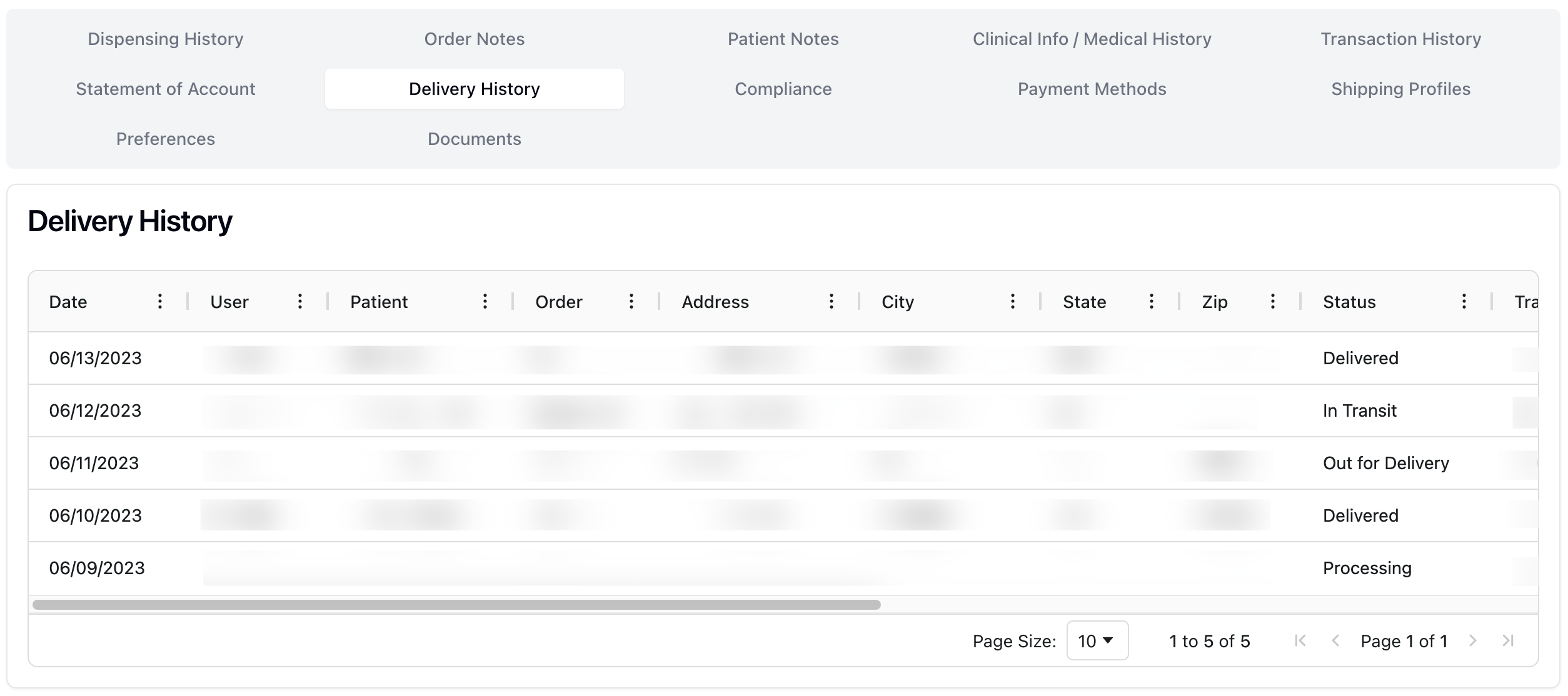 The Delivery History tab displays a list of all orders shipped to the patient, both current and past. The information in the table includes:
Date | The date the order shipped. |
User | The user that initiated the order. |
Patient | The patient's name. |
Order | The order number, automatically generated by that system. |
Address / City / State / ZIP | The related shipping address for the order. |
Status | The order status, including Processing, In Transit, Out for Delivery, and Delivered. |
Tracking number | The tracking number for the shipment. |
Carrier | The carrier delivering the shipment. |
Pharmacy | The pharmacy fulfilling the order. |
Package | The number of packages included in the order. |
Estimate Rate | The estimated shipping cost. |
Note that the Delivery History tab is view-only. This means you can only view the delivery history from this page, but no actions are available.
To do: Verify table meanings and future actions.