Patient Dispensing History
You can view the dispensing history for a patient via the Dispensing tab on their patient record. This guide provides an overview of the information and actions available.
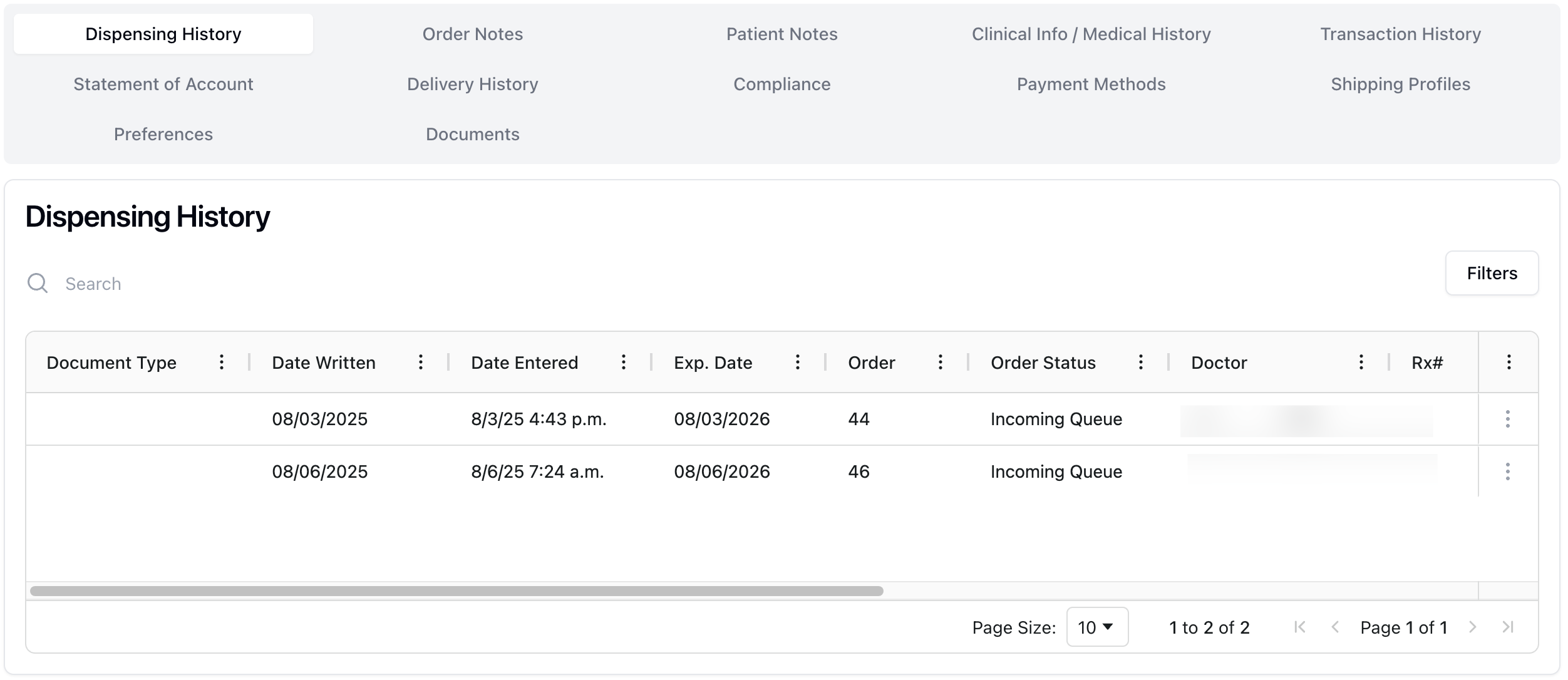 The Dispensing History tab includes a list of all fill requests related to the patient. Each item includes:
Document Type | The type of document initiating the fill, such as a new prescription or refill. |
Date Written | The date the prescription was written. |
Date Entered | The date and time the prescription entered into the system |
Expiration Date | The date the prescription expires. |
Order | The order number, automatically generated by the system. |
Order Status | The order status, ranging from Incoming Queues to Ready for Shipping. |
Doctor | The doctor requesting the prescription. (To do: confirm language - authorizing/requesting.) |
Rx # | The prescription number. |
Pharmacy | The pharmacy fulfilling the order. |
Medication | The name of the medication. |
Directions | Directions for the intended use of the medication. |
Days Supply | The number of days the supply of medication should last. (To do: confirm language - is "should" okay here?) |
There is a search bar at the top of the Dispensing History table, which you can use to search for a specific order using any of the related information attached to the order history.
You can also sort the table based on a specific column in ascending or descending order. At the bottom of the table are pagination options, as well as the option to increase or decrease the number of orders displayed.
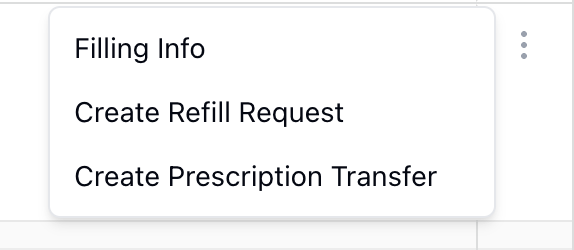 To the far right of each item is an actions menu, opened by clicking the three dots ( ⠇). Selecting this menu opens the following options:
Filling Info, which opens a popup with detailed information for the related fill request
Create Refill Request, which opens a popup with a form to request a refill from the related provider
Create Transfer Request, which opens a popup with a form to request a transfer of the prescription to a different pharmacy