Patient Clinical Info / Medical History
You can add, edit, or delete allergies and medications associated with a patient record via the Clinical Info / Medical History tab. This guide provides an overview of the information and actions available.
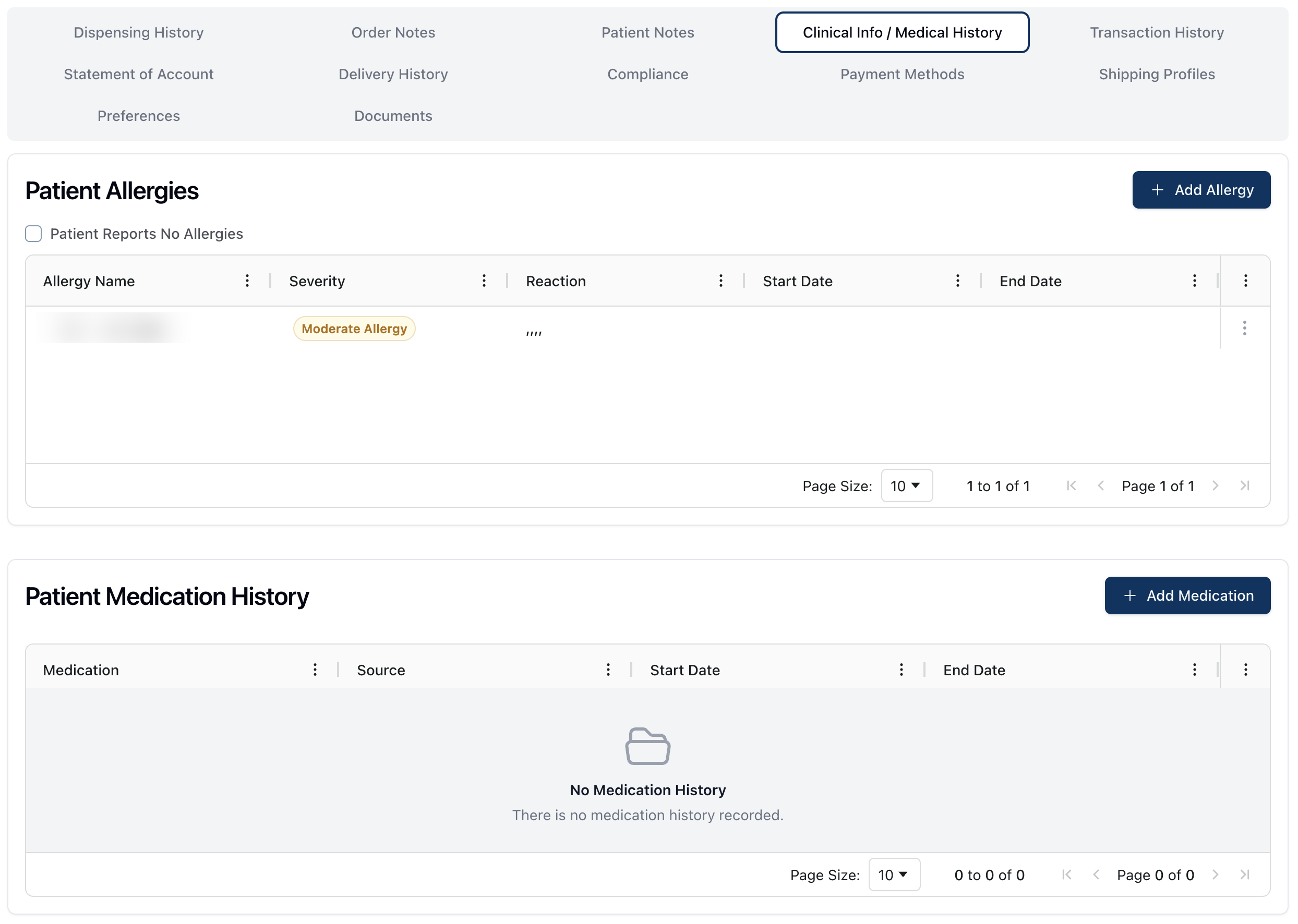 The Clinical Info / Medical History tab displays two tables: Patient Allergies and Patient Medication History.
The Patient Allergies table displays a list of any allergies that have been added to the patient record. Each allergy in the table includes the allergy name, severity level, reaction, and beginning and end dates of the allergy, if known.
Note that a badge displays next to the patient's name when an allergy is added to their record.
For more information on adding or editing a patient allergy, visit Adding a patient allergy.
The Patient Medication History table displays a list of the patient's medication history. Each item in the table includes the name of the medication, the source of the reported medication, and the beginning and end dates of the medication usage.
For more information on adding or editing a patient medication, visit Adding a patient medication.
Modifying a patient allergy or medication history
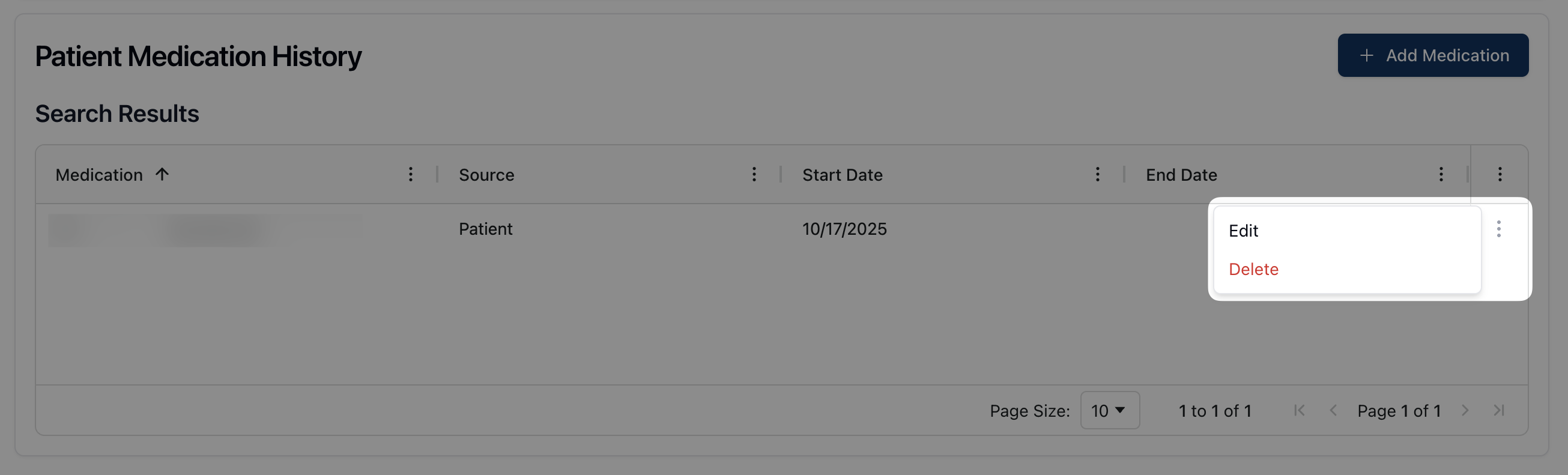 If you need to remove or make changes to an allergy or medication from a patient profile, you can do so by clicking the three dots ( ⠇) to the far right of each individual row. This opens the actions menu, where you can either Edit or Delete the patient allergy or medication history.
 Selecting Delete opens a popup confirming that you would like to delete the item. To remove the allergy or medication history, confirm the deletion or click Cancel to return to the previous screen.
Clicking Edit reopens the Add Allergy/Medication form. Once the form is open, you can make any necessary changes or adjustments by directly editing the relevant fields. When finished click Update Allergy or Update Medication to save the changes.