Patient Order Notes
You can view the order notes connected to a patient's order history via the Order Notes tab. This guide provides an overview of the information and actions available.
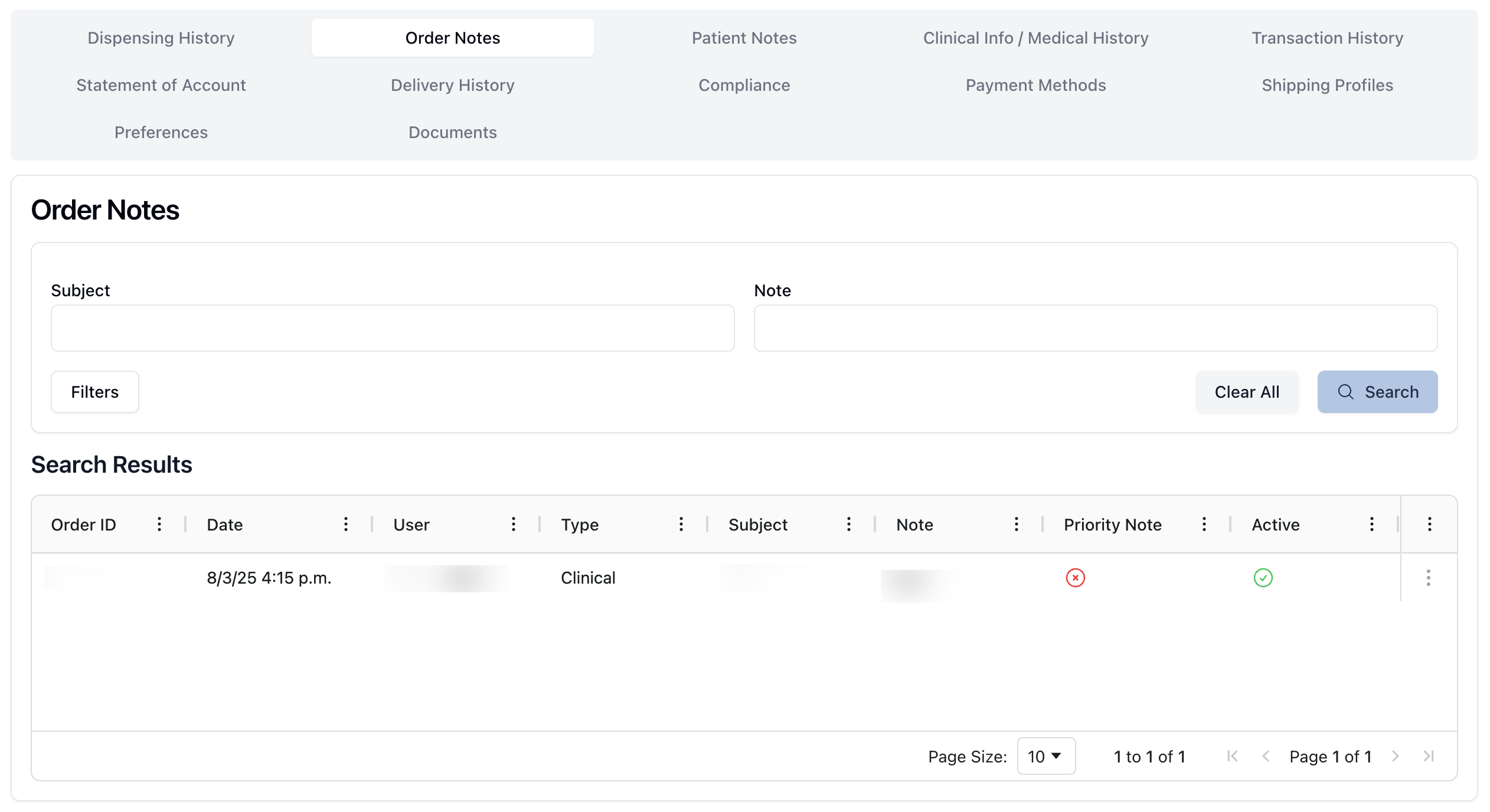 The Order Notes tab includes a searchable history of notes related to the patient's previous or current order history.
At the top of the page, you can filter notes by subject or content in the available search fields. Clicking the Filters button includes the option to search for Deactivated Notes or Priority Notes.
In the Search Results table, each note includes:
the order ID number
the date the note was written
the type of note
the note's subject and text
the note's priority status
the note's active status
Note that priority notes display a badge on the patient record, next to the patient name. This badge also includes a small flag indicating the number of active priority notes.
Clicking the actions menu ( ⠇) to the right of each note allows you to select the View Note option, which opens the note information and text in a new popup. (To do: add screenshot.)