Patient Shipping Profiles
The Shipping Profiles tab displays all shipping addresses saved to the patient record. This guide provides an overview of the information and actions available.
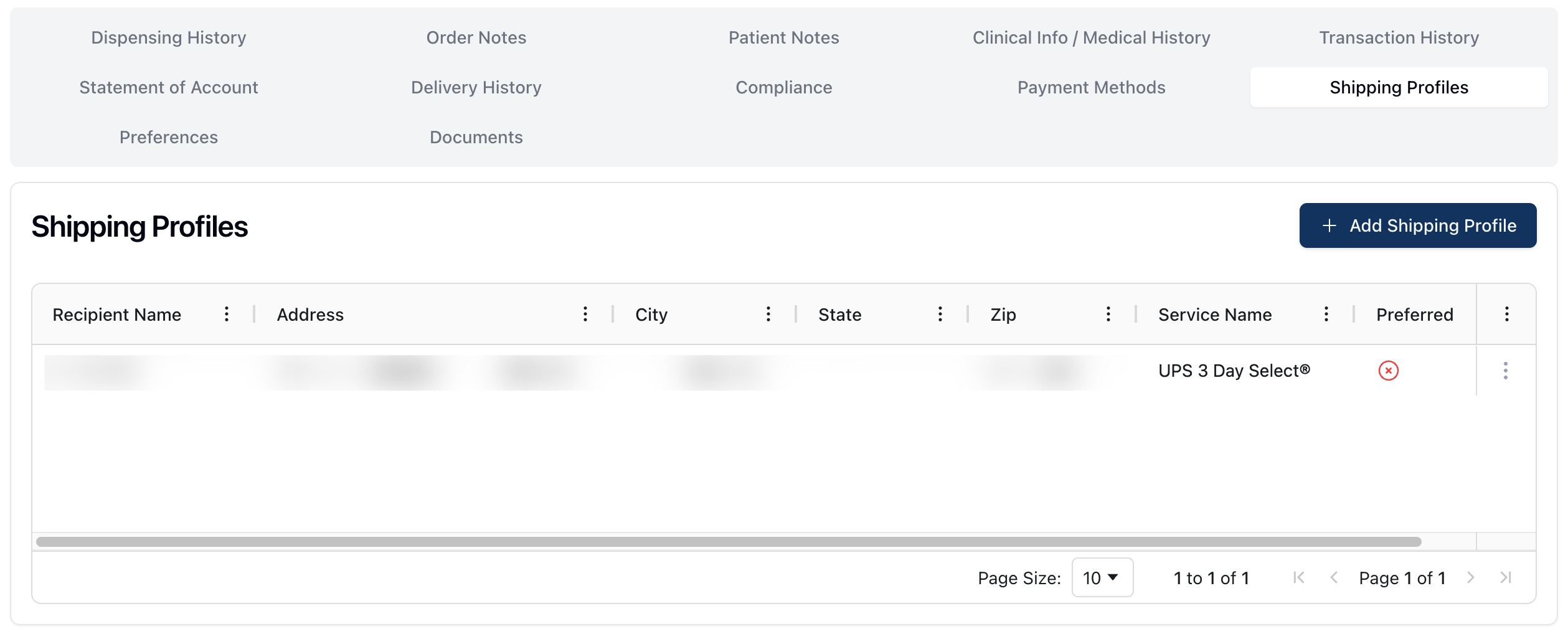 The Shipping Profiles tab displays a list of all shipping addresses stored on the patient record.
Patient shipping profiles are used during the order fill process for orders shipped to the patient via delivery. Shipping profiles include the relevant shipping address, as well as preferences for shipping carriers.
You can also select one shipping address as the preferred or default address for the patient, if applicable.
When viewing the Shipping Profiles table, the following information appears:
Recipient Name | The first and last name of the person receiving the order. |
Address / City / State / ZIP | The street address for the shipping profile. |
Service Name | The carrier and shipping type selected for the shipping profile. |
Preferred | Whether or not this is the preferred shipping profile. Preferred profiles display a Yes in this column. |
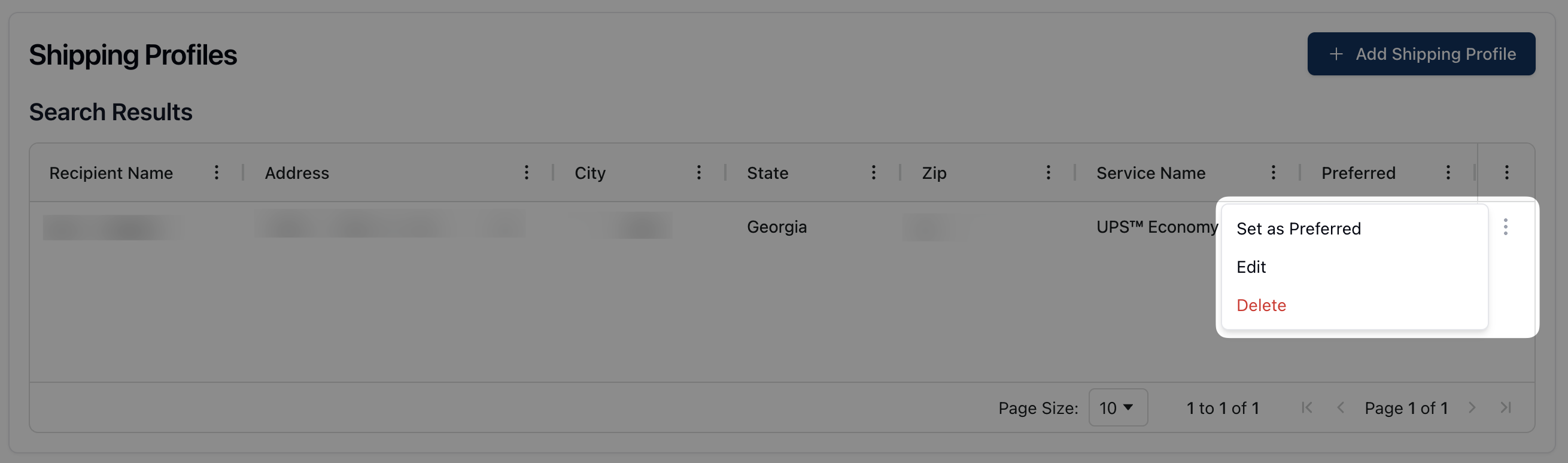 You can manage the available shipping profiles via the order queues or via the actions menu ( ⠇) to the right of each shipping profile. The actions menu provides the following options:
Set as Preferred: Set this shipping profile as the preferred shipping option.
Edit: Edit and make changes to the related shipping profile.
Delete: Delete this shipping profile.